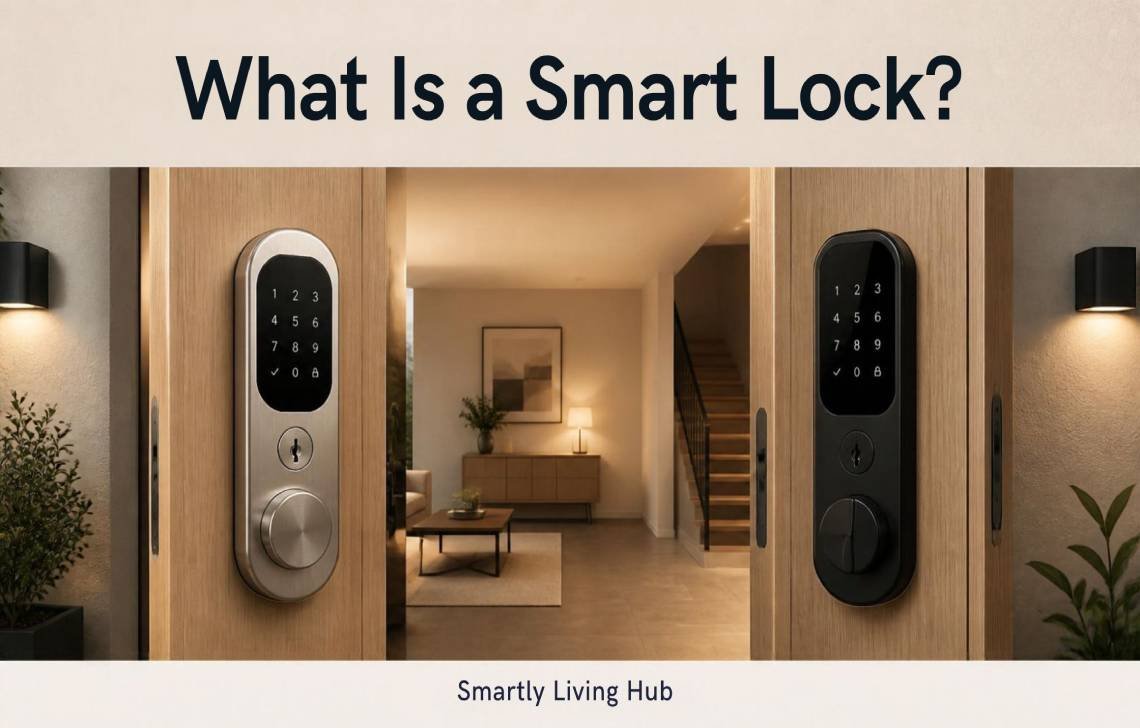
A smart lock is an electronic deadbolt that allows you to lock and unlock your door without a physical key, using technology like Wi-Fi, Bluetooth, or biometrics. It replaces the manual turn of a key with a motorized mechanism controlled via smartphone, keypad, or voice command.
While traditional locks have successfully secured homes for over 6,000 years, we’ve come a long way since the first mechanical “smart” milestone in 1873, when James Sargent invented the time-lock safe. Today, that evolution has moved to the front door, offering a value proposition that combines keyless entry, remote management from anywhere in the world, and seamless home automation.
What Exactly is a Smart Lock?
At its core, a smart lock is a digital-mechanical upgrade to the traditional deadbolt. Think of a traditional lock as an “inanimate” object—it just sits there until you physically interact with it. A smart lock, however, is “active.” It is a connected device that can communicate with your phone, your security system, and even your lights.
It’s important to distinguish between a “smart” lock and a basic electronic or digital lock. While all smart locks are electronic, a truly “smart” lock offers connectivity (usually via Wi-Fi or a hub) that allows for remote access and status monitoring. A basic digital lock might give you a keypad, but without connectivity, you can’t check if you locked the door while you’re sitting in an airport terminal.
Choosing the Best Smart Lock for Your Home
Finding the best smart lock for your residence depends on two things: your current door hardware and how much of it you want to change. If you are a renter, you should check your lease first; landlords typically prefer you don’t swap out the entire deadbolt. In that case, a “retrofit” model is your best friend.
- Full-Replacement Locks: These replace everything, from the exterior faceplate to the interior thumb-turn. They often feature built-in keypads or fingerprint scanners.
- Retrofit Smart Locks: These only replace the interior thumb-turn. You keep your existing exterior hardware and physical keys, making them “invisible” to neighbors and landlord-friendly.
How Does a Smart Lock Work?
Smart locks work by replacing the manual hand-turn of a deadbolt with a computerized motor. When the lock receives a signal, it triggers this motor to slide the bolt for you.
The Digital Key and Security
In the smart lock world, your “key” is a 128-bit encrypted command or a PIN code. Reputable brands like ADT use this industry-standard encryption to ensure that a digital “skeleton key” can’t be used to hack your home. Some advanced models are even skipping physical keyways entirely to prevent traditional lock-picking or “bumping.”
How Your Lock "Talks" (Connectivity Protocols)
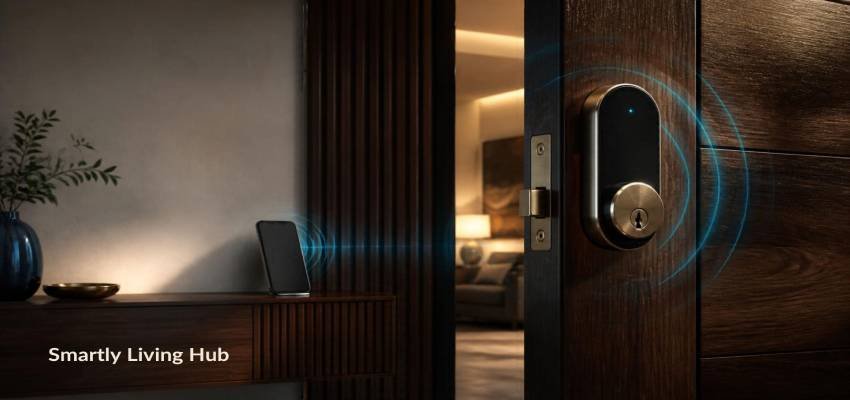
- Bluetooth: Think of this as a short-range leash for your phone. It’s incredibly battery-efficient, but you have to be nearby to use it.
- Wi-Fi: This connects the lock to your router. It allows you to unlock the door from across the globe, but be aware: Wi-Fi-heavy locks tend to eat through batteries much faster than other types.
- Matter: This is the new “universal language” for smart homes. It prevents you from being locked into one brand, allowing Apple, Samsung, and Google devices to work together seamlessly.
- Aliro: The latest industry standard that helps your lock communicate with digital wallets. This makes using your Apple or Google Watch as a “tap-to-unlock” key much smoother.
- Z-Wave & Zigbee: These use a dedicated hub to talk, which saves battery life and keeps your Wi-Fi from getting crowded.
Different Types of Smart Locks
When choosing, consider how you actually want to get inside.
- Biometrics: Fingerprint scanners are now highly accurate and speedy. It takes minutes to enroll the family, and you’ll never have to worry about the kids losing a physical key again.
- Keypads: Great for issuing temporary codes to dog walkers or contractors.
- NFC & Geofencing: You can tap an NFC card (like a hotel key) or set a “geofence” that detects your phone’s GPS and unlocks the door automatically as you pull into the driveway.
What Can a Smart Lock Do? (Core Features)
- Temporary Guest Access: Create codes that only work during specific hours (perfect for the Thursday house cleaner).
- Auto-Lock & Scheduling: Set the door to lock itself every night at 10:00 PM or 30 seconds after it’s closed.
- Access History: Get a notification the moment the kids get home from school.
- Smart Home Scenes: Program your “Goodbye” scene so that locking the door also turns off the lights and adjusts the thermostat.
Smart Lock vs. Traditional Lock: Comparison
Feature | Smart Lock | Traditional Lock |
Physical Key | Optional (Used as backup) | Required |
Remote Access | Yes (via Wi-Fi/Bridge) | No |
Automation | Yes (Schedules/Scenes) | No |
Guest Codes | Yes (Digital/Temporary) | No (Requires physical copies) |
Activity Tracking | Yes (History logs) | No |
Installation | Retrofit: Simple / Full: Moderate | Simple |
Are Smart Locks Secure?
Digital security is often a homeowner’s first concern, but physical security is just as vital. Look for locks with BHMA/ANSI grading (Grade 1 is the strongest). Many smart locks include “Bump Guards” to protect against physical lock-picking techniques.
Consultant’s Safety Tips:
- Two-Factor Authentication (2FA): Always enable this on your lock’s app.
- The “Gap” Test: If you have to push or pull your door to get the deadbolt to turn, your smart lock will fail. A rubbing bolt drains the battery in weeks and can burn out the motor.
- Updates: Keep your app and lock firmware updated to patch any digital vulnerabilities.
Practical Concerns: Batteries and Outages
Most locks run on 4 AA batteries. You’ll get low-battery warnings for weeks before they die.
What if the battery dies?
- Most models have a physical key backup.
- Keyless models often have emergency jump-start points (usually two small metal tabs on the bottom of the exterior housing) where you can touch a 9V battery to give the lock enough juice to enter your code.
What if the Wi-Fi goes out? Don’t worry—your keypad and Bluetooth will still work locally. You just won’t be able to lock the door from your office until the internet is back up.
Installation Checklist: Can It Fit Your Door?
- The Alignment: Does the bolt move smoothly? If not, adjust the strike plate before installing the motor.
- The Backset: Measure from the door edge to the center of the hole. Most smart locks feature an adjustable backset to fit both 2 3/8 and 2 3/4 inch standards.
- Door Material: Standard wood is easiest. Metal or glass doors may require specialized hardware.
Are They Worth It?
Smart locks provide a level of “passive” security that’s hard to beat. For families, you know the door is always locked. For Airbnb hosts, you never have to meet a guest for a key handoff.
Pro-Tip: If you have a video doorbell, you can remotely unlock the door for a delivery driver to place a package safely inside the foyer, then lock it the second they step back out. It’s the ultimate defense against porch pirates.
Conclusion
A smart lock is a convenience and security upgrade that gives you total control over your home’s “front line.” Whether you’re double-checking the door from bed or letting a neighbor in while you’re on vacation, the peace of mind is well worth the investment. Just remember: before you buy, do the “gap test” to ensure your door is aligned—a smooth-sliding bolt is the secret to a long-lasting smart lock.
FAQs
Can I still use a physical key?
Yes, most models retain a standard keyway specifically for emergency use.
Do smart locks work without Wi-Fi?
Absolutely. They will still work via the keypad, Bluetooth, or physical key. You only need Wi-Fi for remote features and alerts.
How often do I need to change batteries?
Typically every 6 to 12 months. Bluetooth-only or Z-Wave locks generally last longer than those connected directly to Wi-Fi.
Will it fit my existing deadbolt?
Retrofit models are designed for this exact purpose. For full replacements, modern smart locks are built to be “one size fits most” with adjustable backsets.