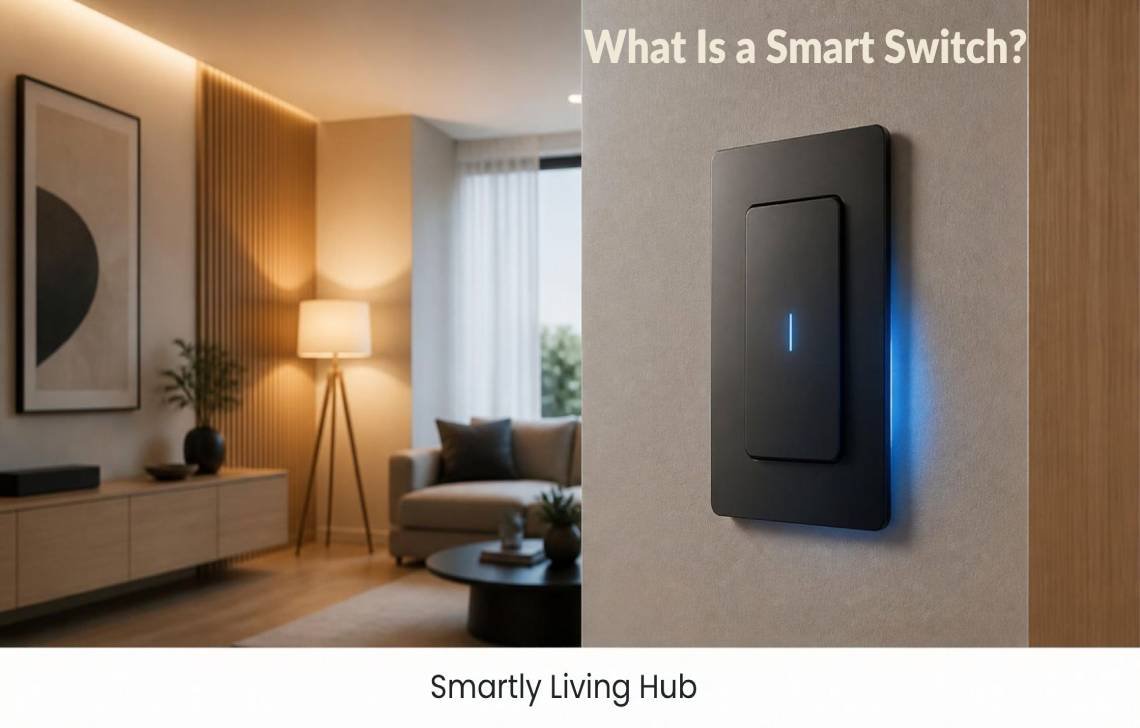
If you’re wondering what is a smart switch, the simple answer is: it is a connected wall switch that lets you control compatible lights or other electrical loads using the physical switch, a smartphone app, voice commands, schedules, or smart-home automations.
Unlike a regular switch, a smart switch contains electronics that communicate with your smart-home system. Depending on the model, it may connect directly over Wi-Fi or use Bluetooth, Zigbee, Z-Wave, Thread, or a hub.
This guide explains how smart switches work, how they differ from regular switches and smart bulbs, what wiring they require, and what to check before buying one.
What Is a Smart Switch?
A smart switch is an electrically connected switch that adds smart-home control to a light or other compatible load.
You can still use many smart switches like ordinary wall switches. The difference is that the switch can also receive commands from other devices or software.
For example, you might:
- Turn a light on or off from the wall
- Control it from a smartphone
- Use Alexa, Google Home, or another compatible voice assistant
- Schedule the light to turn on at sunset
- Include it in a smart-home automation
- Control it remotely when supported by the product and ecosystem
Think of a smart switch as a traditional electrical switch with an added layer of digital control.
One important clarification: in this article, smart switch refers to a smart-home or smart-light switch, not a smart network switch used to connect computers and other network devices.
How Does a Smart Switch Work?
A smart switch works by combining a physical electrical switch with electronics that can communicate with a smart-home system.
A simplified example looks like this:
Phone or voice assistant → Wi-Fi/hub → smart switch → electrical circuit → light
When you tap a button in an app, the command is sent through the switch’s communication system. The smart switch then changes the state of the electrical circuit, allowing the connected light or load to turn on or off.
The exact process depends on the product.
1. You give the command
You might press the wall switch, tap a button in an app, speak to a voice assistant, or trigger an automation.
2. The command reaches the smart switch
Depending on the model, communication may happen through Wi-Fi, Bluetooth, Zigbee, Z-Wave, Thread, or a compatible hub or bridge.
3. The switch controls the electrical circuit
The internal electronics change the switch’s state, allowing power to flow to the connected load or stopping it.
4. The light responds
The connected light turns on, turns off, or changes brightness if the switch is specifically designed for dimming.
This is why a smart switch isn’t simply a regular switch with an internet connection. It combines electrical switching with communication and control electronics.
What Is a Smart Light Switch?
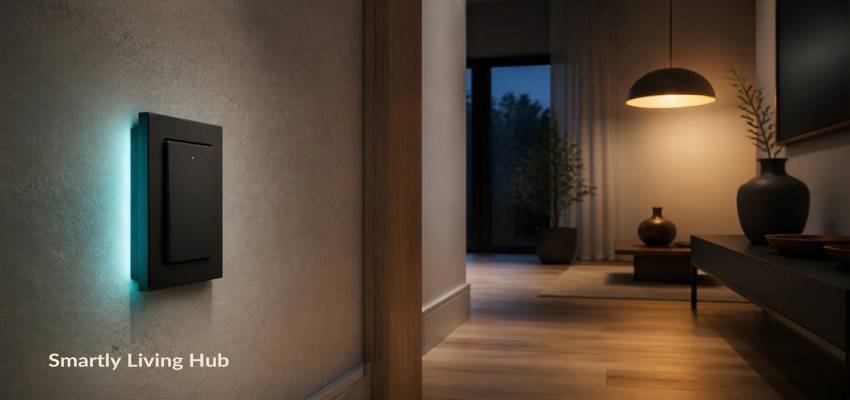
A smart light switch is a type of smart switch designed primarily to control lighting.
It replaces or works with a conventional wall switch and adds features such as app control, scheduling, voice commands, and automation.
For example, a smart light switch could allow you to set your porch lights to turn on automatically at a particular time each evening.
Some models are designed for simple on/off control, while others are smart dimmers that can adjust brightness. Don’t assume that every smart switch supports dimming; the connected load and the switch itself must support that function.
Smart switches are also available for some other applications, such as compatible fans and other electrical loads, but you should always check the manufacturer’s specifications before connecting anything other than the intended load.
Smart switch vs. smart bulb
A common source of confusion is the difference between a smart switch and a smart bulb.
Feature | Smart Switch | Smart Bulb |
Where the smart electronics are located | In the switch | In the bulb |
Physical wall control | Usually yes | Depends on setup |
Works with ordinary compatible bulbs | Often | No |
App control | Depending on model | Depending on model |
Voice control | Depending on ecosystem | Depending on ecosystem |
Requires compatible wiring | Usually | No wall-switch replacement required |
Main advantage | Makes the circuit smart | Makes the individual bulb smart |
With a smart bulb, the intelligence is inside the bulb itself. With a smart switch, the intelligence is in the wall switch controlling the circuit.
This distinction matters because turning off a conventional switch can remove power from a smart bulb, preventing the bulb from responding to app or voice commands.
If you want the wall switch itself to become part of your smart-home system, a smart switch may be the more appropriate approach.
But you are deciding between a smart switch and another type of smart-home control, our smart plug vs. smart switch buying guide can help explain the practical differences.
How Does a Smart Switch Connect?
Smart switches use different communication technologies, so there isn’t one universal connection method.
Wi-Fi smart switches
Wi-Fi models can connect directly to your home’s wireless network. Some products then communicate with an app or cloud service for remote control and other features.
This can be convenient because you may not need a separate smart-home hub.
However, check the manufacturer’s requirements carefully. Some features may depend on internet or cloud connectivity even though the switch is connected to your local Wi-Fi network.
Hub-based smart switches
Some switches communicate with a dedicated hub or bridge rather than connecting directly to your Wi-Fi router.
The hub acts as an intermediary between the switch and your smart-home system.
This approach can be useful for people building a larger smart-home setup, but it can add another device and another compatibility requirement.
Zigbee and Z-Wave
Zigbee and Z-Wave are wireless technologies commonly used in smart-home devices.
A compatible switch may communicate with a hub using one of these protocols rather than connecting directly to your Wi-Fi network.
This means you should check both the switch’s protocol and whether your existing hub or smart-home controller supports it.
Thread and Matter
Newer smart-home products may support Thread and/or Matter.
These technologies can make interoperability between supported smart-home products easier, but Matter compatibility does not automatically mean every device works with every feature of every ecosystem.
Always check the manufacturer’s compatibility information for the specific switch and platform you plan to use.
If you’re building a Home Assistant setup, choosing the right protocol and compatibility can be especially important. You can compare options in our guide to the best smart switches for Home Assistant.
Smart Switch vs. Regular Switch
The main difference is connectivity and control.
A regular switch generally provides local manual control. A smart switch can provide that physical control while also communicating with other devices or software.
Feature | Regular Switch | Smart Switch |
Physical control | Yes | Usually |
Smartphone control | No | Depending on model |
Voice control | No | Depending on ecosystem |
Scheduling | No | Often |
Automation | No | Often |
Remote control | No | Depending on product/setup |
Smart-home integration | No | Depending on compatibility |
Internet or network connection | No | Depends on technology |
Hub required | No | Some models |
Special wiring requirements | Standard electrical requirements | Varies by model |
The important point is that a smart switch does not necessarily replace the need for physical control. Many are designed to give you both physical and digital control.
Benefits of Smart Switches
The main benefit of a smart switch is that it adds flexible control and automation to a device that you would otherwise operate manually.
Remote control
A compatible smart switch can let you control a light through an app instead of walking to the wall switch.
This can be useful for outdoor lights, lamps controlled through a wall switch, or lights you want to check while away from home.
Remote functionality varies by product and may depend on an internet connection or cloud service.
Scheduling
You can use schedules to turn compatible lights on or off at predetermined times.
For example, outdoor lighting could be scheduled to turn on in the evening and off later at night.
Voice control
Compatible smart switches can work with supported voice assistants.
You might say a command such as:
“Turn off the living room lights.”
The exact voice assistant compatibility depends on the switch and ecosystem.
Smart-home automation
A smart switch can become part of a larger automation.
For example:
Motion detected → hallway light turns on → light turns off after a set period
The actual automation depends on the switch, sensors, hub, and smart-home platform involved.
Physical control
One practical advantage of many smart switches is that people can still operate the light from the wall.
That makes them different from setups where someone may rely entirely on a phone app.
Control of ordinary compatible bulbs
A smart switch can often control compatible conventional bulbs, which means you don’t necessarily have to replace every bulb with a smart bulb.
However, the switch must be compatible with the type and electrical characteristics of the connected load.
What Do You Need Before Installing a Smart Switch?
Before buying a smart switch, check the installation requirements rather than assuming any model will fit your existing setup.
1. Check for a neutral wire
This is one of the most important things to verify.
Some smart switches require a neutral wire, while others are specifically designed to operate without one. Manufacturer documentation from companies such as Leviton and Lutron shows that both types exist.
So don’t assume:
“My house doesn’t have a neutral wire, so I can’t use a smart switch.”
Instead, check the exact model’s wiring requirements.
2. Check the electrical load
Make sure the switch is designed for the type of load you want to control.
A switch intended for lighting may not automatically be appropriate for a fan or another electrical device.
3. Check single-pole or multi-way compatibility
If one light is controlled from multiple locations, you may have a multi-way configuration, such as a three-way setup.
Not every smart switch supports every existing wiring configuration.
Check the installation instructions before purchasing.
4. Check your smart-home ecosystem
If you already use Alexa, Google Home, Apple Home, SmartThings, Home Assistant, or another platform, verify compatibility.
A switch that works with one ecosystem may not provide the same functionality with another.
5. Check the connectivity requirements
Find out whether the switch:
- Connects directly to Wi-Fi
- Requires a hub
- Uses Bluetooth
- Uses Zigbee or Z-Wave
- Supports Thread
- Supports Matter
- Requires an internet connection for particular features
These details can affect both installation and long-term usability.
6. Consider professional installation
Installing an in-wall electrical device involves household wiring and electrical hazards.
If you aren’t comfortable identifying wires or working safely with electrical circuits, use a qualified electrician rather than treating the installation like a simple electronics project.
What Happens If Wi-Fi or the Internet Goes Down?
It depends on the smart switch and how its smart-home system is designed.
A Wi-Fi connection and an internet connection are not exactly the same thing.
Some functions may continue locally even if the internet is unavailable. Other features, particularly cloud-dependent remote access, may stop working until the internet connection is restored.
For example, the physical wall control may continue to operate while remote app access is unavailable.
Hub-based systems can also behave differently from cloud-dependent Wi-Fi products.
Before buying, check the manufacturer’s documentation for:
- Manual operation during internet outages
- Local control
- Cloud requirements
- Hub requirements
- Remote-access requirements
This is one reason it’s better not to judge a smart switch solely by whether it says “Wi-Fi” on the box.
Smart Switches vs. Smart Bulbs: Which Setup Makes More Sense?
Neither option is automatically right for every home.
A smart switch may make more sense if you want the wall control to remain part of everyday use and want to control multiple compatible bulbs from one switch.
A smart bulb may make more sense if you want individual bulb-level features such as changing colors or controlling individual bulbs independently.
For example:
Smart switch: One wall switch controls several compatible lights together.
Smart bulbs: Each bulb can potentially be controlled individually.
There is also a practical compatibility issue. A smart bulb generally needs continuous electrical power for its smart features. If someone turns off the physical switch supplying that bulb, its smart functions may become unavailable.
Final Verdict
A smart switch is essentially a connected electrical switch that adds app control, voice commands, scheduling, and automation to compatible lights or other loads while typically retaining physical control at the wall.
The technology behind it can vary considerably. Some switches use Wi-Fi, while others rely on Bluetooth, Zigbee, Z-Wave, Thread, a hub, or combinations of these technologies.
Before choosing one, don’t focus only on the smart features. Check the wiring, load compatibility, connectivity, ecosystem support, and local-versus-cloud functionality first. Those details determine whether a particular smart switch will actually work well with your home.
For someone building a connected lighting system, understanding these requirements before buying is often more useful than simply choosing the switch with the longest feature list.
FAQs
Do smart switches work without Wi-Fi?
Some can, but it depends on the model and its communication technology. A switch may use another protocol such as Zigbee, Z-Wave, Thread, or Bluetooth, or communicate through a hub. Some features may still require internet access even when the switch can communicate locally.
Do all smart switches need a neutral wire?
No. Some smart switches require a neutral wire, while others are designed to work without one. Always check the installation requirements for the exact model.
Can I use a smart switch with regular light bulbs?
Often, yes. Many smart switches are designed to control compatible conventional bulbs. However, check the switch’s specifications, especially if you’re using LED bulbs or a dimmer.
Can I still manually turn on a smart switch?
Usually, yes. Many smart wall switches are designed to retain physical control. The exact button or paddle behavior depends on the model.