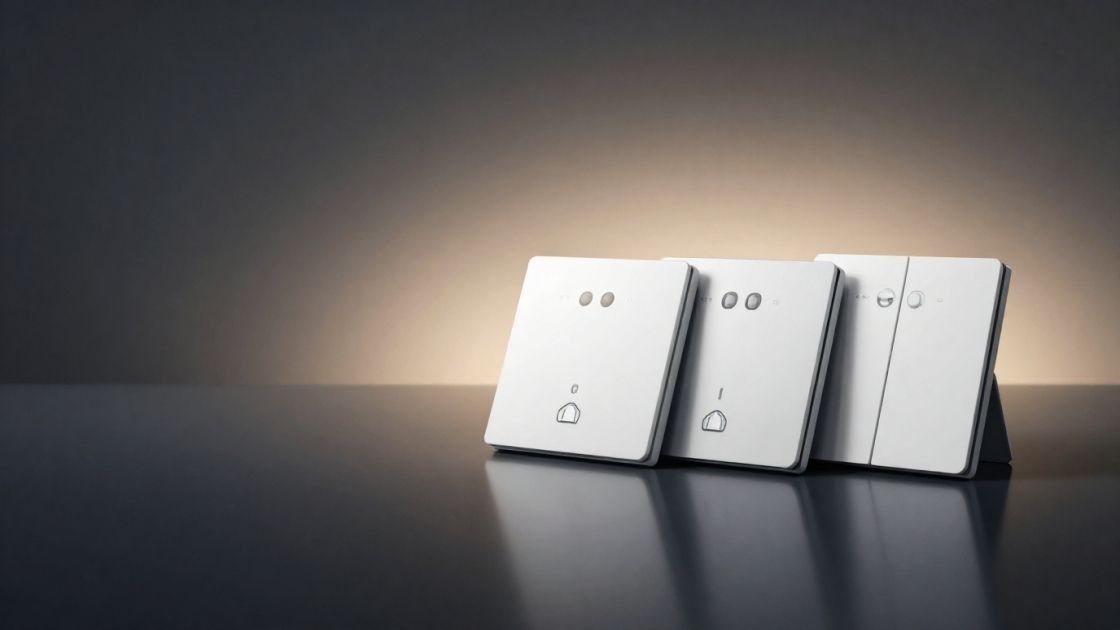
Choosing the best smart switches for home assistant is the single most critical infrastructure decision you will make for your automated home. As an IoT technical consultant, I have seen countless enthusiasts fall into the trap of buying into a closed ecosystem, only to find themselves at the mercy of cloud outages, “subscription creep,” and sluggish response times. If you are committed to the Home Assistant philosophy, you understand that your home should function perfectly even if the internet goes down. Your wall switches are the primary interface for your family and guests; they must be reliable, instantaneous, and private.
The common frustrations of modern smart home users—laggy apps, cloud dependency, and unreliable protocols—are solvable through a local-first approach. By selecting the best smart switches for home assistant, you move beyond simple “remote control” and into the realm of sophisticated, instantaneous automation. Whether you are dealing with a 1920s bungalow with no neutral wires or a modern smart estate, this guide provides the technical precision and “in-the-trenches” advice needed to build a rock-solid foundation.
Quick Comparison: The Best Rated Smart Switches at a Glance
When identifying the best rated smart switches, we must evaluate them based on protocol stability, electrical requirements, and the ease with which they can be integrated into a local-first Home Assistant environment.
Product Name | Protocol | Neutral Wire | Best Use Case | HA Integration | Check Price |
Kasa Matter (KS205) | Matter (Wi-Fi) | Yes | Best Overall / Mainstream | Matter (Local) | [Check Price] |
Tapo Matter (S505) | Matter (Wi-Fi) | Yes | Budget / Whole-House | Matter (Local) | [Check Price] |
Kasa Dimmer (HS220) | Wi-Fi (Matter) | Yes | Bedrooms / Ambiance | Kasa (Local/Cloud) | [Check Price] |
Eve Light Switch | Matter (Thread) | Yes | Privacy / Pro Enthusiasts | Matter over Thread | [Check Price] |
SONOFF (ZBMINIL2) | Zigbee 3.0 | No | Rentals / Stealth Retrofits | Zigbee2MQTT / ZHA | [Check Price] |
Enbrighten Z-Wave | Z-Wave Plus | Yes | Large Homes / Mesh Strength | Z-Wave JS | [Check Price] |
Meross Smart Switch | Wi-Fi | Yes | Mixed Apple/HA Households | HomeKit Controller | [Check Price] |
GE Cync Dimmer | Wi-Fi/BT | No | Older Homes / No-Neutral | Cync Integration | [Check Price] |
Leviton Motion | Matter (Wi-Fi) | Yes | Garages / Utility Rooms | Matter (Local) | [Check Price] |
MoesGo 4-Gang | Wi-Fi (Tuya) | Yes | Complex Multi-Gang Boxes | Local Tuya | [Check Price] |
The Home Assistant Buyer’s Guide: What to Consider Before You Buy
Selecting the best smart switches requires looking under the hood at the electrical physics and networking protocols that govern your home. For a seamless Home Assistant experience, you need to understand why specific hardware succeeds where others fail.
The Neutral Wire Dilemma and the "Vampire Draw"
The neutral wire is the primary roadblock for many smart home enthusiasts. In a traditional electrical circuit, the switch simply breaks the connection to the “hot” wire to turn a light off. However, a smart switch is a computer with a radio (Wi-Fi, Zigbee, or Z-Wave) that must stay powered 24/7 to listen for commands. This requires a complete circuit, which is what the neutral wire (typically a white bundle in the back of the box) provides.
If your home was built before 1980 or 1985, your switch boxes likely lack this wire. Finding top smart light switches for these environments involves a “no-neutral” design. These switches work by “leaking” a tiny amount of current through the light bulb even when it is off—a phenomenon known as “vampire draw.” While this keeps the radio alive, it can cause cheap LED bulbs to flicker or glow faintly. This is why specialized modules like the SONOFF ZBMINIL2 or the GE Cync with its included bulb adapter are critical for older infrastructure.
Protocol Primer: The Battle for the 2.4GHz Airwaves
The protocol you choose for your best smart switch for home automation defines your network’s long-term stability.
- Wi-Fi: The best wifi smart switch options are convenient because they don’t require a hub. However, every switch is a client on your router. Standard consumer routers often struggle when you exceed 30–40 devices, leading to “latency jitter.” Furthermore, Wi-Fi is a “star topology,” meaning every switch must have a direct line to the router.
- Zigbee (2.4GHz): Zigbee uses a “mesh” topology. Each mains-powered switch acts as a router, repeating the signal for other devices. This is incredibly efficient but susceptible to interference. Zigbee operates on the same 2.4GHz frequency as Wi-Fi. A pro-tip for Home Assistant users: set your Wi-Fi to channel 1 and your Zigbee network to channel 25 to avoid “co-channel interference” that can cause your lights to stop responding.
- Z-Wave (900MHz): Z-Wave is the gold standard for reliability because it operates on the 900MHz band. It avoids the congested 2.4GHz space entirely. It is also a mesh network, but it generally has a higher cost per device and requires a dedicated Z-Wave JS integration in Home Assistant.
- Matter and Thread: Matter is the new application layer that allows devices from different brands to talk to each other locally. Thread is the transport layer—a low-power mesh network similar to Zigbee but based on IPv6. Matter-over-Wi-Fi (like Kasa) is fast, but Matter-over-Thread (like Eve) is the future of resilient, self-healing smart home infrastructure.
Local Control vs. Cloud: The Latency Factor
In the world of Home Assistant, local control is the “Holy Grail.” When you press a button on a cloud-dependent switch, the signal goes from your house to a server (often in another country) and back to the switch. This introduces a 500ms to 2-second delay. Local control via Matter, Zigbee, or Z-Wave reduces this to milliseconds. More importantly, it preserves your privacy; your data never leaves your local area network (LAN).
Single-Pole vs. 3-Way Configurations
- Single-Pole: A standard switch controlling one light.
- 3-Way: Two switches controlling one light (e.g., stairs).
- Specialist Tip: Some of the best smart switches require you to replace both switches in a 3-way setup with expensive “smart add-ons.” Others, like the Eve or Enbrighten, are “3-way ready,” allowing you to keep your existing “dumb” switch on one end, significantly lowering your total project cost.
In-Depth Reviews: The Best Smart Switches for Home Assistant
Kasa Matter Smart Light Switch (KS205) – Best Overall
The Kasa KS205 is currently the gold standard for users who want the best smart switches for home assistant without the complexity of managing a separate Zigbee or Z-Wave mesh. It is a robust, well-engineered device that leverages the power of the Matter protocol.
Key Specifications:
- Protocol: Matter over Wi-Fi (2.4GHz)
- Installation: Single-pole, Neutral wire required
- Compatibility: Native Home Assistant Matter Integration, Alexa, Google, HomeKit
The “Why We Love It” Section: The KS205 is a smart switch review favorite because it solves the “multi-admin” problem. With Matter, you can pair this switch to Home Assistant for your advanced automations while simultaneously exposing it to the Apple Home app for your family members who prefer using an iPhone. In our testing, the response time via the Home Assistant Matter (BETA or standard) integration was indistinguishable from a wired connection. The build quality is premium, with a tactile “click” that feels like a traditional high-end switch. For a Smart Home Automation Specialist, the ability to bypass the Kasa cloud entirely during the setup process is a massive win for privacy.
Pros:
- Near-instant local response via Matter.
- Simplified installation with clear, color-coded terminals and an app-guided walkthrough.
- No hub required, making it an excellent entry point for new HA users.
Cons:
- Requires a neutral wire, which excludes many homes built before the 1980s.
- Wi-Fi based; in very large deployments (50+ switches), it may require a high-end Wi-Fi mesh system like Unifi or TP-Link Omada to prevent network saturation.
Home Assistant Integration Tip: When adding the KS205, use the Matter integration. If you have trouble, ensure your Home Assistant instance is on the same VLAN as your IoT devices and that mDNS is enabled on your router.
Tapo Matter Smart Light Switch (S505) – Best Value
For those looking for cheap smart switches that don’t sacrifice technical integrity, the Tapo S505 is a revelation. Often sold in 2-packs, it brings the future-proof Matter standard to a budget-friendly price point.
Key Specifications:
- Protocol: Matter over Wi-Fi
- Installation: Single-pole, Neutral wire required
- Compatibility: Home Assistant, Alexa, Google, HomeKit
The “Why We Love It” Section: The Tapo S505 proves that “budget” doesn’t have to mean “unreliable.” TP-Link has optimized the S505 to be a lean, local-first machine. During our “internet-down” test, the S505 continued to execute automations triggered by Home Assistant without a single dropped packet. While the plastic casing feels slightly lighter than the Kasa KS205, the internal components and relay are rated for high-cycle longevity. This is the ideal switch for “whole-house” deployments where you need to replace 20+ switches without spending thousands of dollars.
Pros:
- Unbeatable price-to-performance ratio for Matter-enabled hardware.
- The Tapo app is modern and intuitive, though unnecessary if you use Matter.
- Extremely compact depth, making it easier to fit into shallow electrical boxes.
Cons:
- Reported inconsistencies with Apple HomeKit’s “Adaptive Lighting” (though this is less relevant for HA-centric users).
- Standard paddle design is functional but lacks the premium “weighted” feel of high-end switches.
Home Assistant Integration Tip: Use the Tapo app for the initial firmware update to ensure Matter stability, then perform a factory reset and pair directly via Home Assistant for a purely local experience.
Kasa Smart Dimmer Switch (HS220) – Best-in-Class Dimming
Dimming is more than just lowering voltage; it’s about the “dimming curve.” The Kasa HS220 is a mature product that offers the most refined dimming experience for Wi-Fi-based Home Assistant setups.
Key Specifications:
- Protocol: Wi-Fi (Matter support via recent hardware versions)
- Installation: Single-pole, Neutral wire required
- Compatibility: Home Assistant, Alexa, Google, IFTTT
The “Why We Love It” Section: The HS220 is a staple in the smart switch review community because of its reliability with LED bulbs. Many smart dimmers cause LEDs to flicker at low levels (10–15%), but the HS220 allows you to calibrate the minimum dimming level within the app. Within Home Assistant, the HS220 appears as a light entity with a brightness attribute, allowing for complex “circadian lighting” automations. You can program Home Assistant to gradually increase the brightness from 0% to 100% over 20 minutes to simulate a sunrise.
Pros:
- Buttery smooth 0-100% dimming with customizable “fade-on” and “fade-off” durations.
- “Away Mode” feature is excellent for home security, mimicking occupancy by toggling lights.
- Highly stable local integration with the tplink platform in HA.
Cons:
- Does not support 3-way wiring; strictly for single-pole locations.
- The physical buttons for brightness are small and can be tricky to find in the dark.
Home Assistant Integration Tip: Leverage the “fade” service in Home Assistant to create a “theater mode” that slowly dims the lights when your Plex or Jellyfin media player starts.
Eve Light Switch – The Premium Privacy King
When price is no object and privacy is paramount, the Eve Light Switch is the premium smart switches choice. It utilizes Matter-over-Thread, avoiding Wi-Fi entirely and building a self-healing mesh.
Key Specifications:
- Protocol: Matter over Thread
- Installation: Single-pole or 3-way, Neutral wire required
- Compatibility: Home Assistant, Apple Home (Thread Border Router required)
The “Why We Love It” Section: The Eve switch is the ultimate “set it and forget it” device. Because it uses Thread, it doesn’t suffer from the congestion issues that plague 2.4GHz Wi-Fi networks. It creates its own mesh network (Thread), where every switch strengthens the signal for the next. Most importantly, Eve has zero cloud infrastructure. There is no “Eve account” to create and no data being harvested. From a technical perspective, the response time is instantaneous, and the “3-way ready” design means it works with your existing “dumb” traveler wires without needing a companion switch.
Pros:
- Unrivaled local privacy and security (no cloud dependency).
- Thread mesh is significantly more robust than traditional Wi-Fi for smart homes.
- Exquisite build quality with a high-end tactile response.
Cons:
- The most expensive option on our list.
- Requires a Thread Border Router (like a HomePod Mini, Apple TV 4K, or a dedicated SkyConnect dongle).
Home Assistant Integration Tip: Monitor the “Thread Network” panel in Home Assistant to ensure your Eve switches are acting as “Full Thread Devices” (routers) to bolster your mesh for other battery-powered Thread sensors.
SONOFF Zigbee Smart Switch (ZBMINIL2) – The No-Neutral Savior
If you are looking for the best rated smart switches for a rental or a historic home without neutral wires, the SONOFF ZBMINIL2 is your best friend. This is a “stealth” module that hides behind your existing switch.
Key Specifications:
- Protocol: Zigbee 3.0
- Installation: Behind-switch module, No Neutral Required
- Compatibility: Home Assistant (Zigbee2MQTT, ZHA)
The “Why We Love It” Section: This is a game-changer for the “Wife Approval Factor” (WAF). You can keep your beautiful, antique toggle switches or modern decorative plates while adding full Home Assistant control. The ZBMINIL2 is tiny—roughly the size of a matchbox—allowing it to fit into cramped electrical boxes. It draws its operating power by allowing a minuscule amount of current to pass through the load. It is a “pure local” device; once paired with a Zigbee coordinator (like the SONOFF ZBDongle-E), it communicates directly with your HA server.
Pros:
- No neutral wire needed, making it compatible with 99% of homes.
- Preserves your existing home decor and physical switch “feel.”
- Extreme affordability, especially in 4-packs.
Cons:
- Requires a Zigbee coordinator (USB dongle) and a basic understanding of Zigbee mesh.
- Installation is more technical than a standard switch swap (requires wiring into a module).
Home Assistant Integration Tip: In Zigbee2MQTT, keep an eye on the LQI (Link Quality Indicator). If the ZBMINIL2 has a low LQI, add a mains-powered Zigbee plug nearby to act as a repeater.
Enbrighten Z-Wave Plus Smart Switch – Mesh Network Veteran
For large properties where Wi-Fi range is an issue, the Enbrighten Z-Wave switch offers a dedicated frequency and professional-grade mesh capabilities.
Key Specifications:
- Protocol: Z-Wave Plus
- Installation: 3-way ready, Neutral wire required
- Compatibility: Home Assistant (Z-Wave JS)
The “Why We Love It” Section: Z-Wave is the professional’s choice for a reason. By operating on the 900MHz frequency, it never competes with your neighbor’s Wi-Fi or your microwave. Every Enbrighten switch you install acts as a repeater, extending the range of your network to every corner of your home, including detached garages. It’s “3-way ready” out of the box, which simplifies the wiring of hallways and staircases. For HA users, the Z-Wave JS integration provides deep technical insights, including the “neighbor map” and real-time power consumption stats for some models.
Pros:
- Zero interference with Wi-Fi or Bluetooth networks.
- Active mesh repeating makes your entire Z-Wave network more reliable with every switch added.
- Highly durable, designed for decades of use.
Cons:
- Requires a dedicated Z-Wave USB stick (e.g., Zooz 800 Series).
- The blue status LED is notoriously faint and hard to see in bright rooms.
Consultant’s Tip: Use the “Z-Wave JS UI” add-on in Home Assistant for a visual representation of your mesh network. It helps identify weak links before they become connectivity issues.
Meross Smart Light Switch – Best for Mixed Ecosystems
The Meross switch is the best smart switch for home setups that need to satisfy both hardcore Home Assistant automations and native Apple HomeKit users without any lag.
Key Specifications:
- Protocol: Wi-Fi
- Installation: Single-pole, Neutral wire required
- Compatibility: Home Assistant (via HomeKit Controller), Alexa, Google
The “Why We Love It” Section: The Meross switch is famous for its “millisecond response time.” While many Wi-Fi switches rely on a cloud API, Meross supports the HomeKit protocol. Home Assistant has a “HomeKit Controller” integration that allows it to talk to the Meross switch locally over your Wi-Fi, bypassing the Meross cloud entirely. This gives you the speed of a local connection with the simplicity of a Wi-Fi setup. It’s an excellent “all-rounder” for those who want a simple installation process (roughly 15 minutes) and 100% local reliability.
Pros:
- Extremely fast local execution via HomeKit Controller integration.
- One of the easiest switches to physically install due to its slim profile.
- Works seamlessly for family members using Siri.
Cons:
- Requires a neutral wire.
- Initial firmware updates still require the Meross app and a cloud account.
GE Cync Smart Dimmer – Best for Older Homes (No-Neutral Dimming)
If you live in a pre-1980 home and want dimming without a neutral wire, your options are limited. The GE Cync is the specialized tool designed for this exact scenario.
Key Specifications:
- Protocol: Wi-Fi and Bluetooth
- Installation: Single-pole or 3-way, No Neutral Required
- Compatibility: Home Assistant, Alexa, Google
The “Why We Love It” Section: Most no-neutral switches are on/off only. The GE Cync is one of the few that provides a physical dimmer rocker without requiring a neutral wire. It achieves this by using a specialized bulb adapter (included) that you screw into your light fixture. This adapter helps complete the circuit and prevents LED flickering. It’s an “emergency tool” for the smart home specialist—when you absolutely cannot run a new neutral wire, the GE Cync ensures you don’t have to give up on smart lighting.
Pros:
- The best solution for dimming in homes built before 1985.
- Can wirelessly control other Cync smart bulbs without a physical connection.
- 3-way capable without a neutral wire on either end.
Cons:
- Does not support Matter or HomeKit natively.
- Requires the use of the Cync bulb adapter on the fixture.
Leviton Decora Smart Motion Sensing Dimmer – Best for Utility Areas
Automation shouldn’t always require a voice command or a phone. The Leviton Decora Motion Sensing Dimmer is the ultimate tool for hands-free utility lighting.
Key Specifications:
- Protocol: Wi-Fi (Matter via firmware update)
- Installation: Single-pole or 3-way, Neutral wire required
- Compatibility: Home Assistant, Alexa, Google, HomeKit
The “Why We Love It” Section: We’ve all walked into a garage or laundry room with our hands full. The Leviton Decora solves this with an integrated Passive Infrared (PIR) sensor. What makes it a [premium smart switches] pick for Home Assistant is that the motion sensor is exposed as a separate binary_sensor entity. This means you can use the switch’s motion sensor to trigger other things—like turning on a smart vent or sending a notification—even if the light is already on. While it didn’t ship with Matter, a simple firmware update via the Leviton app brings it into the modern unified standard for Home Assistant.
Pros:
- Combines a high-quality dimmer and a motion sensor into one gang.
- Matter support (via update) ensures local control and cross-platform use.
- Highly adjustable sensor sensitivity and “time-to-off” settings.
Cons:
- Firmware update process can be slow.
- A bit bulkier than standard switches; requires a deep electrical box.
MoesGo WiFi Smart Switch – Best for Complex Multi-Gang Boxes
For advanced users facing a wall of 4+ switches, the MoesGo Multi-Gang switch is a powerhouse that consolidates your control into a sleek, unified panel.
Key Specifications:
- Protocol: Wi-Fi (Tuya-based)
- Installation: Multi-gang (up to 4), Neutral wire required
- Compatibility: Home Assistant (via Local Tuya)
The “Why We Love It” Section: The MoesGo is the “Swiss Army Knife” for the advanced Home Assistant user. Its standout feature is “wireless multi-control association.” You can configure one button on a 4-gang panel to wirelessly trigger a completely different smart switch on the other side of the room. In Home Assistant, we use the “Local Tuya” integration to manage these. This involves extracting “Local Keys” from the Tuya developer portal—a technical hurdle, but once completed, it grants you instantaneous local control over complex scenes. It’s the perfect way to modernize a cluttered 4-gang entryway.
Pros:
- Consolidates up to four “dumb” switches into a single smart unit.
- Enables complex wireless 3-way setups without new wiring.
- Sleek, modern aesthetic compared to four separate switches.
Cons:
- Setup is technically demanding (requires Local Tuya key extraction).
- Tuya-based Wi-Fi can be finicky during the initial pairing process.
Categorized Winners: Best Choices for Different Needs
- The Absolute Best Overall: Kasa Matter (KS205). It offers the best balance of local Matter control, ease of setup, and reliability for the average Home Assistant user.
- The Budget Champion: Tapo Matter 2-Pack. This is the [cheap smart switches] choice that actually performs like a premium product. Perfect for outfitting an entire floor on a budget.
- The No-Neutral Savior: SONOFF Zigbee (ZBMINIL2). Use this for rentals or old homes where you want to keep your existing switch plates. For dimming in old homes, go with the GE Cync.
- The Privacy & Performance King: Eve (Thread). If you have the budget and a Thread border router, this is the most secure and future-proof switch on the market.
- The Advanced User’s Tool: MoesGo Multi-Gang. For consolidating complex lighting panels and building advanced wireless scenes via Local Tuya.
Final Verdict: Selecting the Best Smart Switch for Your Home
The best smart switches for home assistant are not just about turning lights on and off; they are about creating a reliable, private, and automated environment that responds to your life. The Home Assistant ecosystem thrives on local-first devices that prioritize speed and stability over cloud convenience.
If you are just starting your journey, the Kasa Matter Smart Light Switch (KS205) is the most logical choice. It provides the future-proof benefits of Matter, the simplicity of Wi-Fi, and a level of reliability that has been tested by thousands in the community. For those in older homes, the SONOFF Zigbee module is the hidden gem that brings 21st-century automation to 20th-century wiring.
Whichever you choose, ensure it fits your protocol strategy and electrical reality. A smart home is only as good as its foundation—make yours local, make it fast, and make it rock-solid.
FAQs
Do I need a special hub for these switches to work with Home Assistant?
It depends on the protocol. Wi-Fi and Matter-over-Wi-Fi switches (Kasa, Tapo, Meross) connect directly to your router—no hub required. Zigbee (SONOFF) and Z-Wave (Enbrighten) switches require a USB coordinator (dongle) plugged into your Home Assistant server. The Eve switch requires a Thread border router, which could be an Apple HomePod Mini or a Home Assistant SkyConnect dongle.
What is the benefit of Matter for Home Assistant users?
Matter is a game-changer because it standardizes local control. Previously, you had to hope a manufacturer had a good local API. With Matter, local communication is built into the certification. It also allows “Multi-Admin,” meaning you can control the same switch via Home Assistant, Alexa, and Apple Home simultaneously without them fighting for control.
Can I install a smart switch if my house was built before 1980 (No Neutral)?
Yes, but you must specifically buy “No-Neutral” models. The SONOFF ZBMINIL2 (Zigbee) and the GE Cync (Wi-Fi) are the top recommendations. Be aware that these often require a “bypass” or adapter (included with GE Cync) to prevent LED flickering.
Why is local control better than cloud control?
Cloud control relies on an internet connection and the manufacturer’s servers. If your internet goes out or the company goes bankrupt, your “smart” switches become “dumb.” Local control (Matter, Zigbee, Z-Wave) happens entirely within your house. It is faster (no round-trip to a server) and much more private.
What should I do if my Wi-Fi smart switch keeps disconnecting?
First, check your 2.4GHz signal strength at the switch location. Walls and electrical interference can weaken the signal. Ensure you haven’t exceeded your router’s device limit. If the problem persists, consider switching to Zigbee or Z-Wave, which create their own mesh and offload the traffic from your Wi-Fi router.
Is it safe to install these switches myself?
If you are comfortable identifying “Line,” “Load,” and “Neutral” wires and can safely operate your circuit breaker, many people DIY this. However, you are working with 120V electricity which can be fatal. If you are unsure, hire a licensed electrician. Always use a non-contact voltage tester to verify the power is truly off before touching any wires.