When a smart lock’s battery dies completely, its electronic features usually stop working. The keypad, fingerprint reader, motorized unlocking, and app-controlled functions may no longer respond. However, you may still be able to get inside using a physical backup key, emergency USB/USB-C power, or external battery contacts, depending on your lock.
The exact backup method varies by manufacturer and model. Some locks have a hidden mechanical keyway, while others use an external emergency-power connection. For that reason, you should check your lock’s manual before relying on a particular emergency method.
What Happens When a Smart Lock Battery Dies?
A smart lock does not normally become permanently unusable just because its battery is depleted.
Instead, the electronic components lose the power they need to operate. Depending on the model, you may notice:
- The keypad does not light up.
- Fingerprint or biometric access stops responding.
- The motor cannot retract the deadbolt electronically.
- The lock may appear offline in its app.
- Remote lock and unlock commands may no longer work.
- Audible or visual indicators may stop working.
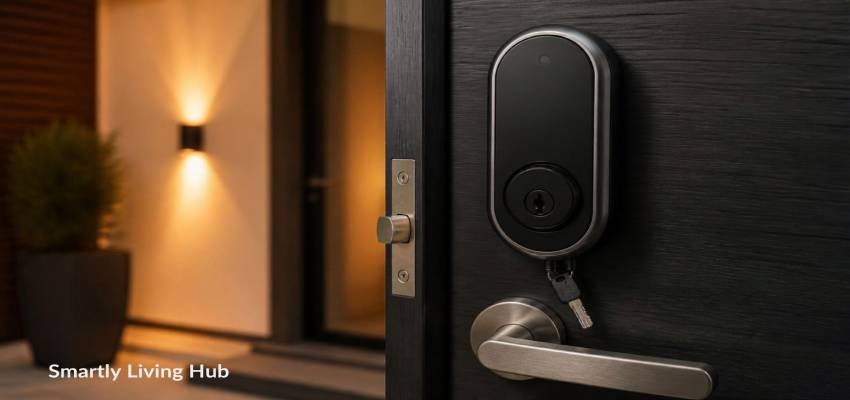
The physical locking mechanism may still be usable if the lock has a mechanical key override.
If you’re new to smart locks, our guide explains what a smart lock is and how it works, including its main access methods and connectivity options.
For example, Level states that its locks can still be locked and unlocked with the physical key when the battery is depleted. eufy likewise documents physical-key access on compatible models.
Does a dead smart lock battery unlock the door automatically?
Usually, no.
A depleted battery does not normally cause a smart lock to automatically unlock the door. If the door is locked when the electronic system loses power, you should expect the electronic unlocking functions to become unavailable.
The important question is therefore not simply whether the battery is dead. It is which backup-entry method your particular lock provides.
Will You Be Locked Out If the Smart Lock Battery Dies?
Not necessarily.
Many smart locks provide at least one alternative access method, but the available option depends on the model.
Common possibilities include:
- A mechanical backup key
- An external 9V battery connection
- A USB or USB-C emergency-power port
- A removable external battery system
- Another authorized entry point
- Professional locksmith assistance if the built-in backup methods are unavailable
If you’re choosing a new lock, our guide to the best smart door locks compares different models and features to consider before buying.
For example, the Aqara U100 supports both a mechanical key and USB-C emergency charging, while compatible eufy models can use a physical key or emergency USB power.
Do not assume that your lock supports every method listed above.
A 9V battery, for example, should only be used if your manufacturer specifically provides external contacts for that purpose.
How to Unlock a Smart Lock When the Battery Is Dead
If you’re standing outside your home and the smart lock is completely unresponsive, work through the options that apply to your model.
1. Try the physical backup key
If your smart lock has a mechanical keyway, this is usually the simplest fallback.
Some smart locks make the keyway obvious, while others hide it behind a cover or beneath part of the exterior trim.
Use the manufacturer’s instructions to locate the keyway and insert the backup key normally.
A mechanical key does not depend on the lock’s electronic battery, which is why it can remain useful after the electronic system has shut down.
Tip: Don’t keep the only backup key inside the house. Consider keeping a spare somewhere secure and accessible outside the home.
2. Look for an emergency USB or USB-C port
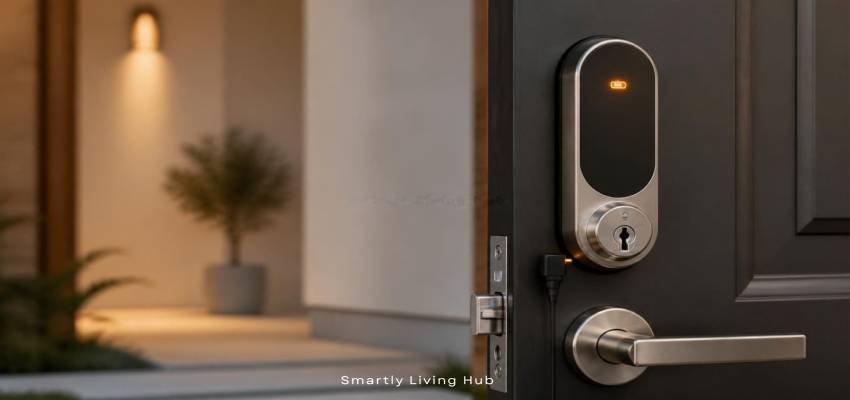
Some keyless smart locks provide an exterior USB or USB-C connection specifically for emergency power.
When supported, a compatible power bank can temporarily provide enough power for the lock’s exterior electronics to wake up. You can then use the supported PIN, fingerprint, or other authorized entry method.
For example, eufy documents emergency USB power on compatible smart locks, while Aqara lists USB-C emergency charging as an emergency unlock method for the U100.
Important: Emergency power does not necessarily recharge the lock’s internal battery. On some models, it simply provides temporary power so you can unlock the door.
Always follow the manufacturer’s instructions for the exact cable and power source.
3. Check for external battery contacts
Some smart locks have external contacts that allow a temporary external battery to power the lock.
A commonly discussed design uses a 9V battery, but this is not a universal smart-lock feature.
Do not place a 9V battery against random metal contacts on your lock. First confirm that your model specifically supports this method and follow its instructions.
The location and procedure can vary significantly between models.
4. Try another authorized entry point
If your home has another usable entrance, such as a garage or back door, you may be able to enter through that route and replace the smart lock’s battery from inside.
This is one reason it is useful to think about smart-lock access as a system rather than relying on a single electronic entry method.
5. Contact a locksmith if the built-in backup methods fail
If the lock has no accessible mechanical key, no supported emergency-power method, and no alternative entrance, avoid trying to force the lock.
A locksmith can determine the appropriate non-destructive entry method for the particular lock and door.
Trying to pry, drill, or dismantle a smart lock yourself can turn a battery problem into a damaged lock or door.
If you need professional help, the Federal Trade Commission’s consumer guidance on choosing a locksmith provides tips for avoiding locksmith scams and unexpected charges.
How Do You Know a Smart Lock Battery Is Getting Low?
You normally do not have to wait until the battery completely dies.
Many smart locks provide warnings before reaching a critically low level. Depending on the model, these can include:
- Mobile-app notifications
- Low-battery messages
- Flashing indicator lights
- Beeping
- Voice warnings
- Slower or less reliable electronic operation
The exact warning threshold varies.
For example, Level documents a “Replace Battery” warning at approximately 20% battery life and a “Battery Depleted” state below approximately 10%.
Schlage’s Encode Plus also provides a low-battery indicator on the lock and through the Schlage Home app.
The practical lesson is simple:
Treat the first low-battery warning as a maintenance reminder rather than waiting for the lock to stop working.
What Should You Do When You Get a Low-Battery Warning?
If your smart lock reports a low battery, take a few minutes to prepare for replacement.
Step 1: Identify the exact lock model
Check:
- The lock’s brand
- Model number
- User manual
- Manufacturer app
- Product packaging
This matters because battery type and emergency-access methods vary.
Step 2: Buy the correct replacement battery
Do not assume every smart lock uses AA batteries.
Depending on the design, a lock may use:
- AA batteries
- AAA batteries
- CR2 batteries
- Rechargeable battery packs
- Other manufacturer-specified battery systems
For example, Schlage’s Encode Plus uses four AA alkaline batteries, while Level’s locks use model-specific battery configurations such as a CR2 battery.
Always follow the battery specification for your particular model.
Step 3: Replace the battery before it reaches zero
If possible, replace the battery while you are inside and the door is open.
This is safer than waiting until the lock becomes completely unresponsive while you are outside.
Step 4: Test the lock
After installing the replacement battery:
- Check that the lock powers on.
- Test the keypad or other normal entry method.
- Test the physical key if your lock has one.
- Check the manufacturer’s app.
- Confirm the battery status has updated.
- Test the lock while the door is still open.
Testing with the door open gives you an opportunity to identify problems without accidentally locking yourself out.
Can You Unlock a Smart Lock With Your Phone After the Battery Dies?
Usually not if the lock itself has completely lost power.
A phone app can communicate with a smart lock only when the lock has enough power to receive and process the command.
A Wi-Fi connection does not replace the lock’s physical battery.
This is why a smart lock can be shown as offline in its app when its battery has been completely depleted.
There are exceptions and model-specific behaviors, so do not treat remote unlocking as your emergency backup unless the manufacturer specifically says it remains available under the relevant conditions.
What If Wi-Fi Stops Working but the Smart Lock Battery Is Fine?
A Wi-Fi outage is different from a dead lock battery.
A battery-powered smart lock may continue to provide local access through features such as:
- Keypad codes
- Fingerprint access
- Bluetooth
- Physical keys
- Other local controls
However, remote app features may depend on the lock’s connectivity setup.
The important distinction is:
Problem | What may stop working |
Lock battery is dead | Electronic lock functions may stop |
Home Wi-Fi is down | Remote internet features may stop |
Phone battery is dead | Your phone-based access may be unavailable |
Household power is out | Battery-powered lock may continue operating |
Physical key is lost | Mechanical backup access may be unavailable |
Your exact lock can behave differently depending on its connectivity and design.
Can a Smart Lock Still Be Used From Inside When the Battery Dies?
This depends on the lock’s mechanical design.
Many smart locks allow the door to be operated manually from the inside. Some use an interior thumbturn or handle, while others have different mechanisms.
If you are already inside when the battery dies, check the manufacturer’s instructions before removing the battery or taking apart the lock.
The more important issue is what happens when you close the door after the battery has died. If the lock is configured to remain locked or automatically lock, you could create a lockout situation.
That is why replacing the battery before closing the door is a safer practice.
How to Prevent a Smart Lock Battery Lockout
A few simple habits can greatly reduce the chance of being stuck outside.
Keep a backup key accessible
If your lock has a physical key override, don’t store every copy of the key inside the house.
A secure external location, trusted person, or other appropriate backup arrangement can provide another access path.
Keep emergency power available if your lock supports it
If your lock specifically uses an emergency USB/USB-C connection, keep a compatible power bank available.
If it uses dedicated external battery contacts, learn the manufacturer’s procedure in advance.
Don’t buy or carry a particular emergency battery simply because another smart lock uses it.
Enable battery notifications
If your smart lock app provides battery alerts, enable them.
A warning is only useful if you actually receive it.
Check the battery periodically
Don’t rely exclusively on the lock’s warning system.
Checking the battery level occasionally can help you identify a problem before it becomes urgent.
Check the door's alignment
Battery life can be affected by mechanical resistance.
Level specifically notes that poor door alignment, deadbolt friction, and installation problems can cause the motor to work harder and reduce battery life.
If your smart lock frequently struggles to lock or unlock, the problem may not be the battery alone.
A Simple Emergency Plan for Your Smart Lock
Before you need it, identify these five things:
1. What is my exact lock model?
Write down the model number or save the manufacturer’s support page.
2. Does it have a physical key?
If yes, know where the keyway is and keep the backup key accessible
3. Does it support emergency power?
Check whether your lock uses USB, USB-C, 9V contacts, or another manufacturer-specific method.
4. Where is my emergency power source?
Do not store your only emergency power source somewhere you cannot reach when the door is locked.
5. What do I do if all else fails?
Have a plan for contacting a trusted person, property manager, manufacturer support, or locksmith.
This takes only a few minutes to prepare and can prevent a simple dead-battery problem from becoming an emergency.
Smart Lock Dead Battery: Quick Troubleshooting Table
What you see | Likely situation | What to try first |
Low-battery warning | Battery is running low | Replace it soon |
Keypad is completely dark | Battery may be depleted | Use the model's backup method |
App shows the lock offline | Lock may have lost power or connectivity | Check battery and connectivity |
Keypad works but bolt won't move | Battery, alignment, or mechanical resistance may be involved | Check battery and door alignment |
New batteries don't work | Installation or hardware problem | Check battery type, polarity, contacts, and manual |
Physical key works but electronics don't | Electronic power problem | Replace batteries |
Emergency USB works | Lock supports temporary external power | Use the manufacturer's emergency procedure |
Nothing works | Battery, hardware, or access issue | Stop forcing the lock and seek manufacturer/locksmith help |
Common Mistakes to Avoid
Don't assume every smart lock uses a 9V battery
Some locks use external 9V contacts, but others use USB/USB-C or a mechanical key.
Don't assume every lock has a physical key
Some smart locks are designed without a traditional keyway.
Don't use the wrong battery type
Check the manufacturer’s specification rather than choosing a battery based on appearance.
Don't wait until the battery reaches zero
A low-battery warning is your opportunity to replace it before you have an access problem.
Don't force the lock
If the electronic system is dead, repeatedly entering a PIN or forcing the keypad will not restore power.
Don't test a newly installed lock only after closing the door
Test it while the door is open so you have a safe opportunity to troubleshoot.
Final Takeaway
A dead smart lock battery can stop electronic entry, but it does not automatically mean you are permanently locked out.
The safest approach is to know your lock’s backup method before the battery reaches zero. Depending on the model, that may be a mechanical key, emergency USB/USB-C power, or dedicated external battery contacts.
When you receive a low-battery warning, replace the battery promptly. If the battery has already died, use only the emergency procedure documented for your specific lock.
Most importantly, don’t assume that a solution that works for one brand will work for another. Check your exact model’s manual before using an emergency power method.
FAQs
How do you unlock a smart lock without power?
Use the manufacturer’s supported emergency method. Common options include a physical key or temporary external power through an emergency USB/USB-C port or dedicated battery contacts.
Can a power bank open a smart lock?
Some can. A compatible power bank can temporarily power certain locks through an external USB or USB-C emergency port. This feature is model-specific and should not be assumed for every smart lock.
How long does a smart lock battery last?
There is no universal battery-life figure. It varies with the lock, battery type, connectivity, usage, door alignment, temperature, and other factors. For example, Schlage lists up to six months of typical use for the Encode Plus, while Level lists up to a year for several models under specified usage conditions.
Should I replace all smart lock batteries at once?
Follow the manufacturer’s instructions. If the lock uses multiple replaceable cells and the manufacturer specifies replacing the set, replace them as directed rather than mixing old and new batteries.