Smart plugs can collect dust, fingerprints, grease, and other dirt over time, especially when they are used in kitchens, garages, or other busy areas. But because a smart plug is an electrical and electronic device, cleaning it requires more care than cleaning an ordinary plastic accessory.
The safest general approach is to unplug the smart plug from the outlet, then clean the exterior with a soft, dry cloth unless the manufacturer’s instructions specifically allow another method. Never spray or pour liquid onto a smart plug, and don’t open the housing to clean the inside. Amazon and TP-Link both instruct users to disconnect certain smart plugs before cleaning and prohibit liquid cleaning for the referenced models.
This guide explains how to clean a smart plug safely, how to remove dust, what cleaning methods to avoid, what to do if the plug gets wet, and when replacing the plug is safer than trying to clean it.
Quick Answer: How Do You Clean a Smart Plug?
To clean a smart plug safely:
- Turn off the appliance connected to it.
- Unplug the smart plug from the wall outlet.
- Let it cool if it feels warm.
- Wipe the exterior with a soft, dry, lint-free cloth.
- Carefully remove visible dust around the exterior without pushing anything into openings.
- Check the plug for cracks, melting, discoloration, burn marks, or other damage.
- Follow your specific manufacturer’s cleaning instructions before reconnecting it.
Do not spray cleaner, pour water on the plug, immerse it, or open the casing. Manufacturer instructions can vary, so the manual for your exact model should take priority.
What You Need to Clean a Smart Plug
For ordinary surface dirt and dust, you usually don’t need specialized cleaning products.
Recommended supplies
- Soft, lint-free cloth
- Clean, dry microfiber cloth
- The smart plug’s user manual or manufacturer’s instructions
- A soft brush only if the manufacturer permits it and you can use it without pushing debris into openings
A dry cloth is the safest general starting point because several smart-plug manufacturers specifically recommend dry cleaning. Amazon says to clean its Smart Plug with a soft cloth and not to use liquid. TP-Link gives similar instructions for several Kasa and Tapo products.
You generally do not need household spray cleaner, bleach, disinfectant, or other chemical products.
How to Clean a Smart Plug Step by Step
1. Turn off the connected appliance
Before removing the smart plug, turn off the appliance connected to it.
For example, if the smart plug controls a lamp, switch the lamp off first. If it controls another appliance, follow that appliance’s normal shutdown procedure.
This reduces the chance of the appliance unexpectedly operating while you disconnect it.
2. Unplug the smart plug from the wall
This is the most important step.
Turning the smart plug off using its physical button or app is not necessarily the same as removing it from the electrical supply. Amazon’s Smart Plug documentation specifically says that unplugging the device is how to stop power from flowing into it.
Hold the smart plug by its housing and remove it from the wall outlet normally. Do not yank it by the connected appliance’s cord.
TP-Link’s instructions for several smart plugs likewise say to remove the plug from the outlet before cleaning.
3. Let the plug cool if it feels warm
Some smart plugs can become warm during normal operation. Amazon, for example, notes that its Smart Plug may become warm during normal use and recommends keeping it well ventilated.
If the plug feels unusually hot rather than mildly warm, don’t simply clean it and put it back into service.
Instead, inspect it for:
- Melted plastic
- Brown or black discoloration
- Burn marks
- A burning smell
- Cracks
- Loose components
- Signs of overheating
These can indicate a problem that cleaning will not solve.
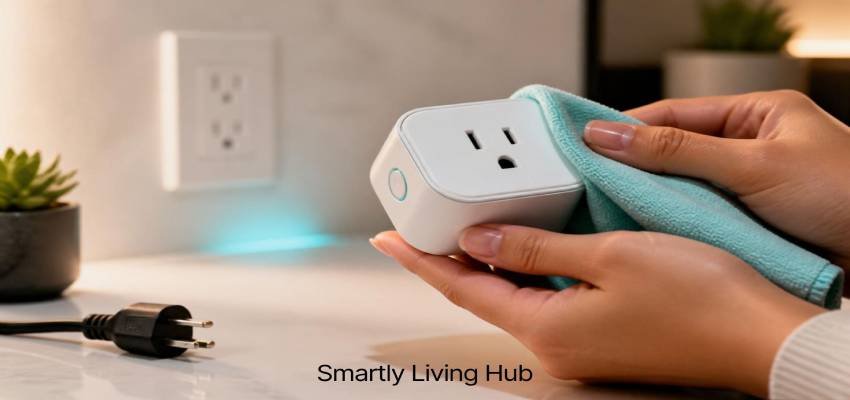
4. Wipe the exterior with a soft, dry cloth
Gently wipe the plastic housing, button area, indicator-light area, and other accessible exterior surfaces.
Use light pressure. The goal is to remove surface dust and dirt, not to force debris into seams or openings.
Amazon recommends a soft cloth without liquid for its Smart Plug. TP-Link similarly specifies dry cleaning for several smart-plug models.
5. Remove visible dust carefully
If dust has accumulated around the outside of the plug, gently wipe it away.
Avoid using:
- Pins
- Needles
- Knives
- Paper clips
- Screwdrivers
- Other metal objects
Don’t insert objects into electrical openings or attempt to scrape dirt from inside the housing.
TP-Link safety documentation specifically warns against putting metal objects inside its products and says that some products contain no user-serviceable parts.
6. Check the electrical prongs
Look at the plug blades or prongs after cleaning.
They should not be:
- Severely bent
- Loose
- Burned
- Heavily corroded
- Covered with unusual residue
If the electrical contacts are damaged, cleaning isn’t an appropriate repair.
A damaged smart plug should be removed from service rather than forced into an outlet.
7. Inspect the housing
Look closely at the plastic enclosure.
Pay attention to:
- Cracks
- Gaps
- Melted sections
- Warping
- Burn marks
- Unusual discoloration
- Loose housing
- Signs that liquid entered the device
A clean-looking smart plug is not necessarily a safe smart plug. Physical condition matters too.
8. Check the manufacturer's instructions
Before using any liquid, disinfectant, or alternative cleaning method, check the manual for your exact model.
This matters because cleaning instructions aren’t identical across every smart plug.
For example, Amazon says to use a soft cloth and not clean with liquid, while TP-Link’s current documentation for several Kasa and Tapo products also specifies dry cleaning.
So rather than assuming that a method used for another electronic device is safe, follow the manufacturer’s instructions for your particular smart plug.
Can You Use a Damp Cloth to Clean a Smart Plug?
Only if the manufacturer specifically permits it.
A slightly damp cloth may be acceptable for some electronic products, but you should not assume that applies to every smart plug.
For example, Amazon’s Smart Plug safety instructions say to use a soft cloth and not clean with liquid. TP-Link’s instructions for several Kasa and Tapo products similarly say not to use liquid.
For that reason, a dry cloth is the safest general recommendation when the model’s instructions are unknown.
If your manufacturer’s manual specifically permits a slightly damp cloth:
- Disconnect the plug first.
- Use very little moisture.
- Never spray the device directly.
- Keep moisture away from openings.
- Wipe the surface rather than soaking it.
- Follow the manufacturer’s drying instructions before reconnecting it.
When in doubt, skip the moisture and use a dry cloth.
What Should You Never Use on a Smart Plug?
Some cleaning methods can introduce unnecessary risks.
Cleaning method | General guidance |
Soft, dry cloth | Generally appropriate |
Manufacturer-approved cleaning method | Follow the manual |
Spray cleaner directly on plug | Avoid |
Pouring water on plug | Never |
Immersing plug in water | Never |
Household disinfectant | Avoid unless manufacturer specifically permits it |
Abrasive cleaner | Avoid |
Sharp or metal objects | Avoid |
Cleaning while plugged in | Avoid |
Opening the casing | Avoid |
External heat to dry a wet plug | Avoid |
The important distinction is that cleaning the outside and cleaning inside the electrical housing are two different things.
Routine household cleaning should not require opening a smart plug.
How to Remove Dust From a Smart Plug
Dust is usually easiest to deal with before it becomes a thick buildup.
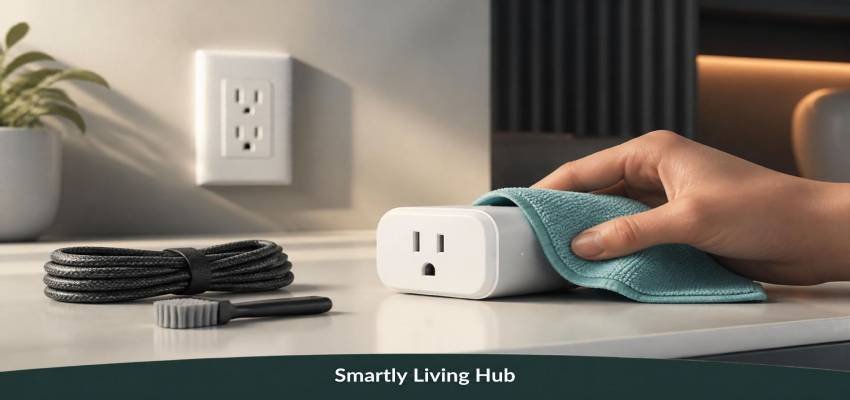
Start with a dry microfiber or other soft, lint-free cloth and wipe the exterior.
For dust around seams or other accessible areas, use gentle movements rather than pushing material deeper into the device.
Avoid aggressive dust removal
Don’t poke openings with:
- Toothpicks
- Pins
- Needles
- Paper clips
- Metal brushes
Also avoid improvising with tools that could damage the housing or contact electrical components.
If dust appears to have entered deep inside the device, don’t open the smart plug just to clean it. Some manufacturer documentation explicitly states that there are no user-serviceable parts inside and warns against opening the device.
What If Your Smart Plug Gets Wet?
This situation deserves more caution than ordinary surface cleaning.
If water or another liquid gets inside a smart plug, don’t assume that letting it dry makes it safe to use.
Electrical Safety Foundation International (ESFI) warns that water-damaged electrical equipment can remain a serious safety and fire risk even after it has dried. Its guidance recommends qualified evaluation for water-damaged electrical equipment and says certain electrical equipment should be discarded if submerged.
For additional guidance, see ESFI’s information on water-damaged electrical equipment safety
If a smart plug gets wet
- Don’t plug it back in immediately.
- Don’t continue using it just because the outside looks dry.
- Don’t use a hair dryer or other external heat source to force-dry it.
- Follow the manufacturer’s instructions.
- If water entered the housing or the device was submerged, consider replacement or qualified electrical evaluation rather than experimenting with it.
Amazon’s Smart Plug documentation also specifically warns against using an external heat source to dry the device.
If the plug was exposed to flooding, dirty water, salt water, or another contaminated liquid, the situation is more serious because contaminants can affect electrical components and leave conductive or corrosive residue.
Can You Open a Smart Plug to Clean the Inside?
No, not as a normal cleaning procedure.
Opening a smart plug can expose you to electrical components and can create additional damage.
TP-Link’s safety documentation for smart plugs states that there is a risk of electric shock, that users should not open the device, and that there are no user-serviceable parts inside.
If dirt has entered the housing deeply enough that ordinary exterior cleaning cannot remove it, the safer option is to contact the manufacturer or replace the device rather than disassemble it yourself.
When Should You Replace a Smart Plug Instead of Cleaning It?
Cleaning is appropriate for ordinary surface dirt. It is not a solution for electrical or physical damage.
Consider taking the smart plug out of service if you notice:
- Cracked housing
- Melted plastic
- Burn marks
- Strong burning odor
- Severe discoloration
- Damaged or bent electrical blades
- Loose housing
- Evidence of water entering the device
- Sparks or visible arcing
- Unusual overheating
- Repeated electrical problems
Amazon instructs users to discontinue use immediately if its Smart Plug appears damaged.
The same principle applies broadly to electrical equipment: if the device is physically damaged or water-damaged, cleaning it does not restore damaged electrical components.
If you’re unsure whether a damaged device is safe, don’t experiment by plugging it back in.
How Often Should You Clean a Smart Plug?
There isn’t a universal manufacturer-defined cleaning schedule for every smart plug.
Instead, inspect the device periodically and clean it when visible dust or dirt accumulates.
You may want to pay more attention to smart plugs used in:
- Dusty rooms
- Garages
- Workshops
- Kitchens
- Areas with pets
- Locations with heavy airborne debris
The goal isn’t to clean the device constantly. It’s to keep the exterior reasonably clean while regularly checking for signs of damage, overheating, or moisture.
Smart Plug Cleaning: Common Mistakes to Avoid
1. Cleaning while the plug is connected
Always disconnect the smart plug before cleaning it.
2. Spraying cleaner directly onto the device
Liquid can travel into openings and reach electrical components.
3. Assuming all smart plugs can be cleaned the same way
Always check the instructions for the specific model.
4. Using sharp objects to remove dirt
A small piece of dirt isn’t worth the risk of damaging the housing or electrical components.
5. Opening the casing
Routine cleaning should not require disassembly.
6. Reusing a water-damaged plug without checking it
Water damage can create risks that aren’t visible from the outside.
7. Ignoring unusual heat or burn marks
A dirty exterior and an electrical fault are two different problems.
Smart Plug Maintenance Tips
Good maintenance is mostly about inspection and prevention, not frequent deep cleaning.
Keep the plug ventilated
Don’t cover the smart plug with fabric or other materials that could restrict ventilation. Amazon recommends keeping its Smart Plug well ventilated because the device may become warm during normal use.
Keep moisture away
Even outdoor-rated smart plugs should be maintained according to their specific instructions. Outdoor use does not automatically mean the device can be immersed or cleaned with running water.
Don't overload the plug
Stay within the electrical ratings specified by the manufacturer. Cleaning does not compensate for an overloaded or incorrectly used smart plug.
Inspect it when you clean it
Cleaning is a good opportunity to look for:
- Heat damage
- Cracks
- Loose parts
- Discoloration
- Moisture
- Damaged prongs
This inspection can be more valuable than simply making the plastic look clean.
Is Cleaning a Smart Plug Different From Cleaning a Regular Electrical Plug?
Yes, mainly because a smart plug contains electronics in addition to the electrical connection.
A conventional plug may have relatively simple construction, while a smart plug can contain components for wireless communication, control, indicators, switching, and other functions.
If you’re unfamiliar with how these devices work, our guide explains what is a smart plug and how its connected features differ from a standard electrical plug.
That doesn’t mean smart plugs require complicated cleaning.
It means you should treat them as electronic electrical devices, not as objects that can be washed or soaked.
The safest routine is therefore:
Disconnect → dry-clean the exterior → inspect → follow the model’s manual → reconnect only when you are confident the device is suitable for use.
What If Your Smart Plug Is Too Dirty to Clean Safely?
If ordinary surface cleaning isn’t enough, don’t escalate to aggressive methods.
For example, if grime appears to have entered the enclosure or around internal electrical components, the answer isn’t necessarily a stronger cleaner.
Instead:
- Stop cleaning.
- Keep the device disconnected.
- Check the manufacturer’s instructions.
- Contact the manufacturer if appropriate.
- Replace the smart plug if it is damaged or contaminated internally.
A low-cost smart plug generally isn’t worth taking apart and exposing yourself to unnecessary electrical risk.
If you need a replacement, you can compare current options in our Best Smart Plugs guide.
Final Takeaway
The safest way to clean a smart plug is surprisingly simple: unplug it, use a soft dry cloth to clean the exterior, remove dust gently, and inspect it for damage before putting it back into service.
Avoid spraying or pouring liquids onto the device, don’t insert objects into openings, and don’t open the casing for routine cleaning. Manufacturer instructions should always take priority because cleaning requirements can vary between models.
If a smart plug has been submerged, has water inside it, shows burn damage, smells burnt, sparks, or becomes unusually hot, cleaning is no longer the main issue. The safer choice is to stop using it and follow the manufacturer’s guidance or seek qualified electrical advice.
FAQs
Can you clean a smart plug?
Yes. For normal dust and surface dirt, unplug the smart plug and wipe its exterior with a soft, dry cloth. Avoid liquid unless the manufacturer specifically permits a different cleaning method.
Can I use a damp cloth to clean a smart plug?
Only if the manufacturer of your specific model allows it. Many smart-plug manuals recommend a dry cloth and prohibit liquid cleaning, so a dry cloth is the safer general choice.
Can I spray cleaner on a smart plug?
No. Don’t spray household cleaner directly onto a smart plug. Liquid can enter openings and potentially damage internal electronics. Follow the manufacturer’s cleaning instructions instead.
How do I remove dust from a smart plug?
Unplug the smart plug and gently wipe the exterior with a soft, dry, lint-free cloth. Don’t use pins, needles, knives, or other sharp or metal objects to reach inside openings.
What should I do if my smart plug gets wet?
Don’t immediately plug it back in. Water-damaged electrical equipment can remain hazardous even after drying. Follow the manufacturer’s instructions and consider replacement or qualified evaluation if water entered the device.