The modern home security market is often a minefield of hidden costs. You purchase a high-end video doorbell, only to realize that viewing your own footage or receiving smart alerts requires a monthly subscription fee that never ends. For many homeowners, this “subscription fatigue” has led to a search for reliable, high-performance alternatives that offer local storage and professional-grade features without the recurring bill.
When you buy a doorbell from major players like Ring or Nest, you aren’t just buying hardware; you’re effectively “renting” your security. Over a five-year period, a $10/month subscription adds a hidden $600 to the price of your doorbell. It’s no wonder that savvy homeowners are turning toward brands that prioritize local data ownership.
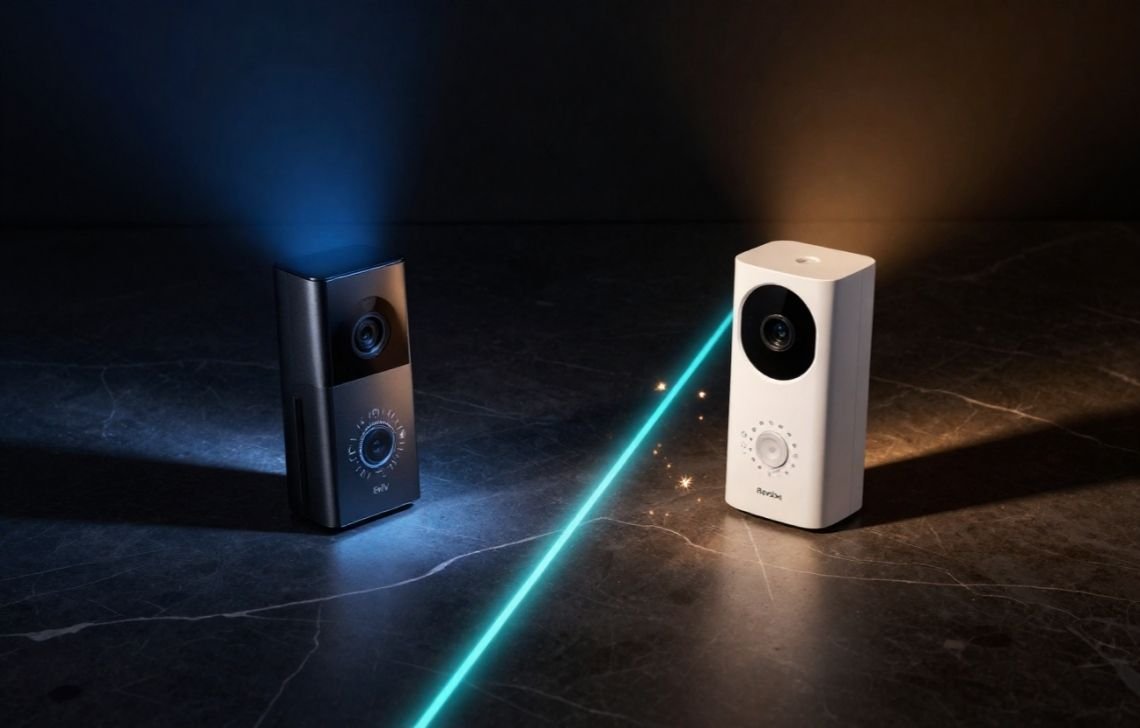
Two brands have risen to the top of this no-subscription market: Eufy and Reolink. Specifically, the Eufy Video Doorbell E340 and the Reolink Video Doorbell WiFi represent the pinnacle of their respective lineups. This article provides a comprehensive comparison of these two contenders, evaluated through the lens of a smart home specialist to help you determine which “no-subscription doorbell camera” is the smarter long-term investment for your property.
The Quick Verdict
- Choose the Eufy Video Doorbell E340 if you want the most advanced AI features, a dual-camera system to monitor packages, and the flexibility to choose between battery or wired power.
Choose the Reolink Video Doorbell WiFi if you prefer a rugged, wired-only setup with a wide viewing angle, NVR compatibility, and superior durability in extreme weather.
Side-by-Side Comparison Table
The following table summarizes the technical specifications and primary features of both devices based on the latest hardware data.
Feature | Eufy Video Doorbell E340 | Reolink Video Doorbell WiFi |
Subscription Fees | Not required (local + optional cloud) | Not required (local + optional cloud) |
Local Storage | Built-in + HomeBase support | microSD card + NVR support |
Power Source | Battery or Wired (flexible) | Wired only |
Video Quality | 2K, Dual Cameras, Color Night Vision | 2K Super HD, HDR, Wide 4:3 View |
Audio Features | Two-way audio with AI noise reduction | Two-way audio + preset auto-replies |
Detection | Package, People, and Face Detection | Motion zones + smart alerts |
Design & Installation | Slim, modern, easy to install | Sturdy, bulkier, requires wiring |
Reliability | Strong app, occasional battery maintenance | Durable, weatherproof, very stable |
Best For | Homeowners wanting AI & flexibility | Homeowners preferring wired stability |
The No-Subscription Philosophy: Local Storage and Costs
The primary appeal of both Eufy and Reolink is their commitment to a no-subscription model. By eliminating mandatory fees, both brands allow users to own their data. However, as a specialist, I look beyond the price tag to the architecture of how that data is stored, as this impacts both security and convenience.
Storage Architecture: Security vs. Accessibility
Eufy and Reolink take fundamentally different approaches to where your video lives:
- Eufy Storage (The Secure Vault): Eufy utilizes built-in memory within the doorbell or connects to the Eufy HomeBase. From a security perspective, this is a major advantage. The HomeBase acts as a centralized hub located inside your home. If a porch pirate or vandal decides to rip your doorbell off the wall and steal it, your footage remains safe inside the house on the HomeBase.
- Reolink Storage (The Flexible Prosumer): Reolink supports on-board microSD cards (up to 256GB). While convenient, it does mean the storage is physically located on the device. However, Reolink shines for “prosumers” by offering full NVR (Network Video Recorder) support. This allows you to integrate the doorbell into a wider home surveillance system for 24/7 continuous recording—something Eufy’s battery-centric models struggle to do.
The True Cost of "Free"
Both brands offer optional cloud storage, but the local options are so robust that most users will never need them. By choosing one of these devices, you are avoiding the “feature gatekeeping” common in the industry, where AI person detection or specific alert zones are locked behind a paywall.
Power and Installation: Battery Flexibility vs. Wired Stability
One of the most significant differences between these two models is how they receive power. This choice often dictates whether a doorbell is suitable for a specific home.
Eufy E340: The Hybrid Contender

The Eufy E340 is the “Swiss Army Knife” of doorbells. It features a dual-power design.
- For Renters: You can run it entirely on its rechargeable lithium battery. This means no drilling into electrical systems—a major win for keeping your security deposit.
- For Homeowners: You can connect it to existing doorbell wiring. In this setup, the wires “trickle charge” the battery, keeping it at 100% so you never have to take the doorbell down. More importantly, the battery acts as a built-in UPS; if your power goes out, your doorbell keeps recording.
Reolink WiFi: The Wired Workhorse

The Reolink Video Doorbell WiFi is a hardwired-only device. It requires a connection to your home’s low-voltage doorbell wiring. While this makes the initial setup more daunting for a DIY novice, it offers ultimate stability. You never have to worry about battery degradation in the summer heat or winter cold. To assist with installation, Reolink includes a 15-degree wedge kit, which is essential if your doorbell is mounted on a side wall and needs to be angled toward the walkway.
Visual Performance: Dual Cameras vs. Wide Angle Views
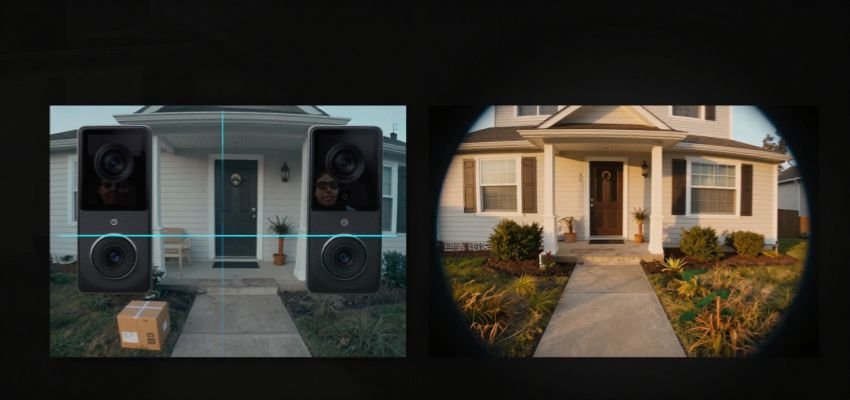
When evaluating video quality, resolution numbers like “2K” only tell half the story. The aspect ratio and camera placement determine what you actually see when a notification pops up.
Eufy’s Dual-Camera Innovation
The E340’s standout feature is its dual-camera system. The primary 2K camera looks straight ahead to identify visitors, while a second, downward-facing camera monitors the porch floor.
- The Benefit: This effectively eliminates the “blind spot” where packages are dropped.
- Night Performance: Eufy utilizes a dual-light system to provide Color Night Vision. In a scenario where a person is wearing a red hoodie at 2:00 AM, Eufy will show you that red color, whereas most cameras would show a grey blur.
Reolink’s Vertical Mastery and Distortion Correction
Reolink uses a single 2K Super HD sensor, but it utilizes a 4:3 aspect ratio.
- The Benefit: While Eufy uses two cameras to see the ground, Reolink uses one very tall view. This vertical orientation allows you to see a visitor from head-to-toe and see the package on the mat simultaneously.
- Image Integrity: Reolink includes distortion correction. Wide-angle lenses often suffer from a “fisheye” effect where the edges of the image look curved and blurry. Reolink’s software flattens this out, ensuring that a person standing at the edge of the frame is just as recognizable as someone in the center.
Audio and Smart AI Detection Features
Effective communication and intelligent alerting are what turn a simple camera into a proactive security tool.
AI Detection and Familiar Faces
Eufy leads the market in “Smart” processing. Because the AI is handled locally on the device or HomeBase, the latency—the time between an event happening and your phone buzzing—is incredibly low.
- Familiar Face Announcements: Eufy can learn who your family members are. Instead of a generic “Motion Detected,” your phone (or Alexa/Google Home speaker) can announce, “Sarah is at the front door.”
- Noise Reduction: Eufy’s two-way audio includes AI-driven noise reduction. If you live on a busy street, the system identifies the “whoosh” of passing cars or wind and filters it out, allowing you to hear the visitor’s voice clearly.
Reolink’s Customization and Auto-Replies
Reolink offers a more “manual” but highly reliable set of features.
- Painted Motion Zones: In the app, you can “paint” exactly where you want the camera to look. If you have a flag waving in the corner of the frame or a sidewalk with heavy foot traffic, you can “un-paint” those areas to eliminate false alerts.
- Preset Auto-Replies: If you are in a meeting and cannot talk, you can tap a button in the app to have the doorbell play a pre-recorded message like, “Please leave the package by the door.”
Reliability and Brand Reputation
Reolink: Built for the Elements
Reolink has earned a reputation among DIY enthusiasts for ruggedness. It is often the preferred choice for those in northern climates where snow and ice are common. Because it is a wired device, it doesn’t suffer from the “sluggishness” that battery-powered cameras often exhibit in sub-zero temperatures. One potential pain point to note: Reolink relies heavily on its included chime and can experience occasional WiFi drops if your router is at the opposite end of the house.
Eufy: The Ecosystem Advantage
Backed by the Anker brand, Eufy offers a more polished, consumer-friendly app experience. The software is intuitive, making it easy for non-technical users to set up schedules or review footage. While the hardware is slim and sleek, the primary maintenance concern for the E340 is battery health if you choose not to hardwire it. Over several years, lithium batteries naturally lose capacity, which is something to consider for long-term ownership.
Pros and Cons Breakdown
Eufy Video Doorbell E340
Pros
- Dual-Camera System: Truly zero blind spots for package monitoring.
- Color Night Vision: Exceptional detail in low-light scenarios.
- Flexible Power: Works for both renters (battery) and owners (wired).
- Smart AI: Includes Familiar Face Announcements and advanced package detection.
- Audio Clarity: AI noise reduction filters out wind and traffic.
Cons
- Battery Maintenance: Must be recharged every few months if not wired.
- Privacy Concerns: Though local, it requires the Eufy app ecosystem.
- Slimmer Profile: May feel less rugged than the Reolink in extreme weather.
Reolink Video Doorbell WiFi
Pros
- Wired Stability: Set-it-and-forget-it power; no charging required.
- Distortion Correction: High-quality 2K image without the fisheye effect.
- 4:3 Aspect Ratio: Excellent head-to-toe vertical coverage.
- NVR Integration: The only real choice for 24/7 continuous recording.
- Weatherproofing: Built like a tank for rain, snow, and heat.
Cons
- Installation Barrier: No battery option; requires existing doorbell wiring.
- No Color Night Vision: Night footage is clear but strictly black and white.
- Bulkier Design: May not fit on very narrow door frames.
The Verdict: Use Cases for Every Home
Why You Should Choose Eufy
The Eufy E340 is the “smarter” choice for the modern homeowner or renter. Its dual-camera system is a game-changer for anyone who receives frequent Amazon deliveries and worries about porch pirates. The combination of face detection, noise-canceling audio, and the ability to install it without any tools makes it the most user-friendly and feature-rich option on the market today. It is the best “all-rounder.”
Why You Should Choose Reolink
The Reolink Video Doorbell WiFi is the “sturdier” choice for those who value permanent, professional-grade stability. If you are a “power user” who already owns a security NVR or if you live in a region with brutal winters that would kill a battery, Reolink is the better fit. It trades the “bells and whistles” of dual cameras for high-fidelity vertical video and unmatched durability.
Final Recommendation: For the vast majority of users, the Eufy E340 is the superior overall investment due to its innovative package-tracking camera and installation flexibility.
FAQs
Can I use Eufy or Reolink without a subscription?
Absolutely. This is their primary selling point. Both brands allow you to store video locally (HomeBase, internal memory, or microSD/NVR) and access all standard features like smart alerts and two-way audio without a recurring monthly fee.
Is Reolink better than Eufy for cold weather?
Yes. Because Reolink is a wired-only device, it doesn’t rely on a chemical battery that can freeze or lose charge in the winter. Its rugged housing is specifically designed for extreme rain and snow.
Which doorbell is easier to install for renters?
The Eufy E340 is the clear winner for renters. Its battery-powered mode allows you to mount the doorbell without touching your home’s electrical system, making it easy to remove and take with you when your lease is up.
Does Reolink support 24/7 recording?
Yes, but only if you connect it to a Reolink NVR or a compatible third-party system. Eufy’s E340 is primarily an “event-based” recorder to preserve battery life, whereas Reolink’s wired nature allows for continuous surveillance.
How do Eufy and Reolink handle video storage locally?
Eufy stores video on the HomeBase inside your home, which protects your data even if the doorbell is stolen. Reolink stores video on a microSD card inside the doorbell or streams it to an NVR. Both options provide full control over your video history without cloud fees.