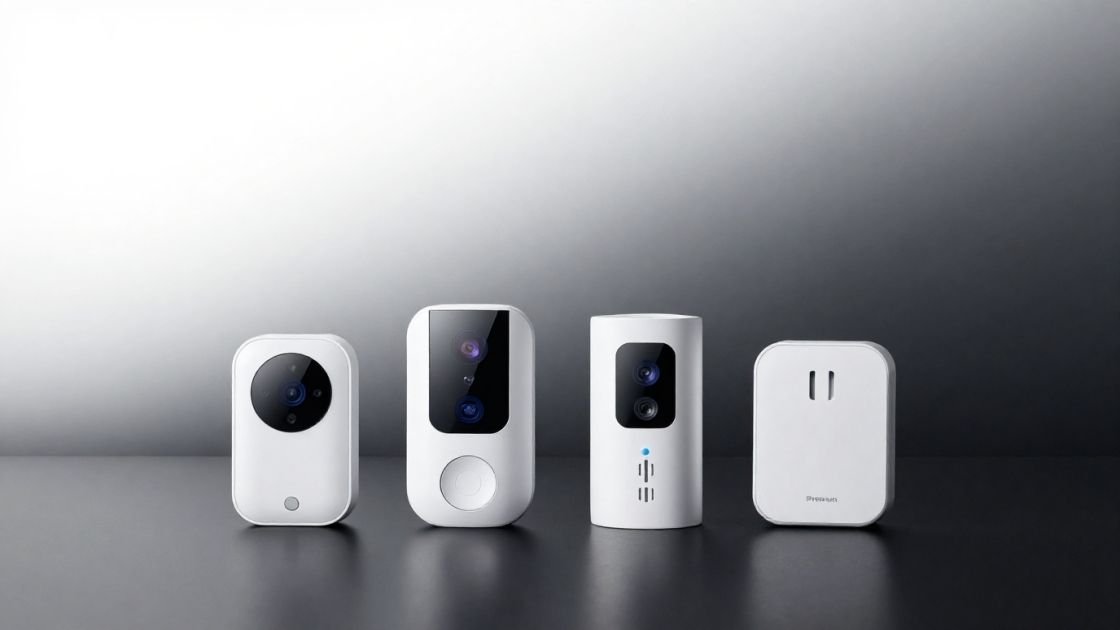
In the current landscape of residential security, we have meticulously fortified our front doors with smart locks and blanketed our porches with high-definition cameras. Yet, an often-overlooked vulnerability persists at the very edge of our property: the mailbox. As a Senior Smart Home Systems Architect, I have observed that while the “smart home” has moved inward, the perimeter remains dangerously analog. Mail theft is no longer a localized nuisance; it is a sophisticated method for identity theft and financial fraud. Even with a high-quality locking mailbox, determined thieves can force entry or use “fishing” techniques to extract sensitive documents. The need for a best mailbox sensor has shifted from a convenience-based luxury to a critical component of a proactive home defense strategy.
Beyond the security implications lies a more mundane but persistent frustration: the “empty trip.” For homeowners with a long range mailbox sensor requirement—where the mailbox may be 200 feet or more away, perhaps up a steep driveway or across a street—the manual check is an inefficient use of time. In climates with extreme weather, these unnecessary trips are more than just a waste of minutes; they are a physical burden. Standard sensors designed for indoor use almost universally fail in this environment. They lack the signal penetration to escape a metal enclosure and the transmission power to reach a hub located deep within a modern home’s interior.
The evolution of mail security has followed a fascinating architectural trajectory. Historically, security was purely mechanical, relying on heavy-gauge steel and complex tumbling locks. While effective at slowing down a thief, these physical barriers provided no real-time awareness. We then entered the “early digital” phase, where homeowners attempted to repurpose Zigbee or Z-Wave contact sensors meant for interior doors. These early adopters quickly discovered the “Faraday cage” effect—where the metal structure of the mailbox acts as an electromagnetic shield, effectively trapping the signal inside. Furthermore, the distance limitations of high-frequency protocols like 2.4 GHz made them unsuitable for any property with significant acreage.
Today, we are in the era of specialized long-range protocols. The modern mailbox sensor review must focus on devices that utilize sub-GHz frequencies or optimized RF bridges to overcome the physical barriers of distance and metal interference. The primary mission of a contemporary system architect is to identify a best mailbox sensor that offers not just a notification, but a reliable state-aware integration into a broader automation ecosystem. Reliability over distance is the new benchmark, and achieving it requires a deep understanding of RF propagation and hardware placement.
Key Benefits of Installing a Sensor
- Instant notification of mail arrival to prevent theft: By shrinking the window between delivery and retrieval to seconds, you effectively neutralize the threat of “porch pirates” or mailbox foragers.
- Saves time on long driveways: For those with 200-foot-plus driveways, a sensor eliminates the “empty trip” and provides a definitive signal that the walk is worth the effort.
- Integration with home automation (lights/voice): A professional-grade setup doesn’t just buzz a phone; it triggers visual cues like purple ambient lighting or audible announcements via smart speakers.
- Peace of mind during variable delivery hours: USPS schedules are increasingly unpredictable. A sensor removes the cognitive load of wondering if the mail carrier has already passed.
The psychological relief of knowing exactly when the mail carrier arrives is a significant, if often unquantified, benefit in the field of User Experience (UX) for home automation. As humans, we are wired to seek closure on open-ended tasks. The “mail delivery window” often represents a four-to-six-hour period of low-level mental surveillance. By delegating this task to a reliable sensor, we reduce our “mental labor” and eliminate the need for asynchronous notification cycles. You are no longer checking for the mail; the mail is checking in with you.
From an architectural standpoint, this is the ultimate goal of automation: the reduction of friction. When a system can provide a definitive “state change” (from ‘Mail Pending’ to ‘Mail Delivered’), it allows the homeowner to refocus their attention elsewhere. The transition from a reactive state—waiting and checking—to a proactive state—retrieved upon notification—transforms a daily chore into a streamlined, automated event. This level of environmental control is precisely why the selection of a robust, integrated sensor is paramount for any modern smart home.
Critical Factors to Consider Before Buying
When designing a perimeter sensing system, a “Senior Smart Home Systems Architect” looks beyond the marketing gloss. The mailbox is a hostile environment for electronics, characterized by extreme temperature fluctuations, high humidity, and physical interference. Before selecting a best smart mailbox sensor, you must evaluate the technical architecture of the device against your property’s specific constraints.
Range and Protocol: The 900MHz vs. 2.4GHz Debate
The most critical factor is the communication protocol. Standard smart home devices typically operate on the 2.4 GHz band (Wi-Fi and Zigbee). While high-frequency signals allow for fast data transfer, they have poor penetration and a shorter wavelength, making them susceptible to attenuation by walls, trees, and—most importantly—metal mailbox housing. For a mailbox sensor for long driveway applications, sub-GHz frequencies (typically 900 MHz) are vastly superior. These lower frequencies have longer wavelengths that can “bend” around obstacles and penetrate metal far more effectively. This is why specialized long-range systems like Ring or LoRa-based sensors outperform standard Zigbee units by an order of magnitude.
Smart Home Ecosystem Compatibility (The Home Assistant Standard)
For the power user, the best mailbox alert system must be more than a standalone app. It must be an “entity” within a broader controller like Home Assistant. If the sensor is locked within a proprietary cloud silo, its utility is halved. Look for sensors that support local integration or have well-documented bridges via MQTT (Message Queuing Telemetry Transport). This allows you to orchestrate complex logic: for instance, if the mail is delivered after sunset, turn on the driveway lights for five minutes to facilitate safe retrieval.
Power Management and Battery Chemistry
Mailbox sensors are inherently battery-operated. Because they are often located far from a power source, efficiency is key. While many small sensors use CR2032 coin cells, these often fail in extreme cold. A robust sensor should utilize AAA or AA batteries, which offer higher capacity and better performance in low temperatures. Furthermore, look for “sleep-state” logic where the sensor remains in a low-power mode until motion or a contact break is detected, ensuring the batteries last months rather than weeks.
Installation Architecture: Drilling vs. Non-Destructive
Metal mailboxes are essentially Faraday cages. To overcome this, the most reliable sensors utilize an external antenna. This requires a physical installation where the sensing logic is inside the box, but the RF transmitter or antenna is mounted on the exterior. This architectural choice is often the difference between a system that works 100% of the time and one that works only when the mailbox door is left slightly ajar.
Comparison of the Best Mailbox Sensor Solutions
Product Name | Connection Type | Range Capability | Smart Home Integration | Price Range |
Ring Mailbox Sensor | Proprietary 900MHz RF | High (200+ ft) | High (via MQTT) | $30 - $50 |
Ecolink Z-Wave Plus | Z-Wave (908.4 MHz) | Medium (50-100 ft) | High | ~$30 |
Aqara Zigbee Sensor | Zigbee (2.4 GHz) | Low ( <30 ft) | High | ~$18 |
Mail Chime MAIL-1200 | Proprietary RF | High (300+ ft) | Low (None) | ~$60 |
Mailbox Alert (External) | Proprietary RF | High (400+ ft) | Low (None) | ~$55 |
Detailed Mailbox Sensor Product Reviews
1. Ring Mailbox Sensor: The Long-Range Leader
The Ring Mailbox Sensor is a masterclass in solving a specific environmental engineering problem. At its core, it is a PIR (Passive Infrared) motion sensor paired with a high-gain external antenna. This design specifically targets the “Faraday cage” problem of metal mailboxes. The system relies on a Ring Bridge to act as a translator, converting the long-range sub-GHz signal into a 2.4 GHz Wi-Fi signal that your home network can process. While it is marketed to consumers, its technical specs satisfy the requirements of a Ring mailbox sensor review from an architectural perspective.
Physical Installation and the Role of the External Antenna The installation process is significantly more involved than a simple “peel and stick” sensor, but this complexity is the source of its reliability. In my testing, specifically with a locking mailbox, the physical constraints were notable. Locking mailboxes often have a narrow slit and a separate internal compartment. Because of the sensor’s bulk, it may not fit on the swinging door or the upper tray. In the source context, the solution was to mount the sensor on the back interior wall using the included heavy-duty adhesive.
The external antenna is the “secret sauce” of this device. Ring provides a specific 3/16″ drill bit in the box—a high-value detail for any technical reviewer—to allow you to run the antenna wire through the mailbox floor or back wall. By mounting the antenna on the exterior, the RF signal doesn’t have to fight its way through the steel enclosure. This configuration allows the sensor to communicate effectively even if the mailbox is across a street or blocked by the mail carrier’s vehicle, which can temporarily act as a massive RF shield. The antenna is tethered by a thin cable, so careful routing is required to ensure it doesn’t get snagged by incoming packages.
Pros/Cons Section:
- Pros:
- Exceptional range (reliable at 200+ feet even with obstructions).
- Proprietary 900MHz frequency penetrates obstacles better than Wi-Fi.
- Highly customizable sensitivity to avoid false alerts from road vibration.
- Excellent community support for Home Assistant integration.
- Cons:
- Bulkier than standard contact sensors (may be tight in small locking boxes).
- Requires a Ring Bridge (limited to 2.4 GHz Wi-Fi for its own connection).
- The “Cloud Dependency” for initial setup might frustrate local-only purists.
Real-World Battery Life and Range Performance In terms of longevity, the Ring sensor utilizes three AAA batteries. In a best mailbox sensor for cold weather evaluation, this is a distinct advantage over lithium coin cells, which experience significant voltage drops in freezing temperatures. In real-world testing, battery life varies based on “Motion Sensitivity” settings and the frequency of mail delivery. Users can expect anywhere from 6 weeks to 3 months of life. High-traffic areas where the sensor is constantly triggered by vibration will see faster drain.
The range is where this unit justifies its cost. Even with a mailbox 200 feet away and across a street, the 900MHz signal remains robust. However, the Ring Bridge is often the “weakest link.” Since the bridge only supports 2.4 GHz Wi-Fi, it must be positioned strategically. If your house has thick brick or stone walls, you may need to place the bridge in a protected outdoor enclosure or a plastic box on a porch (as noted in some “Rube Goldberg” but effective field fixes) to maintain the link between the mailbox and the home network.
2. Aqara & Ecolink: The Indoor-Outdoor Contenders
If you are looking for a cheap mailbox sensor and your mailbox is within 30 feet of your front door, the Aqara (Zigbee) and Ecolink (Z-Wave) sensors are viable, albeit limited, options. These are designed as door/window contact sensors. From a systems architecture view, the Ecolink is slightly superior because Z-Wave operates on the 908 MHz band in the US, giving it better penetration than the Aqara’s 2.4 GHz Zigbee signal.
However, the primary failure point here is the mesh topology. In an Aqara mailbox sensor review, we must acknowledge that Zigbee and Z-Wave are mesh networks. A battery-powered sensor is an “end-device,” not a “router.” It cannot repeat signals. For these to work at any distance, you must have a mains-powered repeater (like a smart plug) located extremely close to the mailbox, perhaps on a porch. Without this, the signal will frequently “drop off” the mesh, leading to inconsistent notifications. These are great for apartments or suburban homes with porch-mounted boxes, but they are not a mailbox sensor for long driveway use cases.
3. Mail Chime & Mailbox Alert: The Standalone Specialists
For those who prioritize simplicity over smart home complexity, standalone systems like the Mail Chime MAIL-1200 offer a wireless mailbox alarm that functions independently of Wi-Fi or hubs. These use a simple RF transmitter on the mailbox door that triggers a physical chime inside the house.
While these are an affordable mailbox alert system, they represent a “dead end” for automation. There is no way to log the data, no way to trigger phone notifications, and no way to integrate them into Home Assistant without significant hardware hacking (e.g., soldering wires to the chime’s speaker to trigger a dry contact bridge). They are excellent for non-tech-savvy users but lack the “Architect-level” features required for a truly smart home.
Best Choice by User Category
- The Smart Home Power User: The Ring Mailbox Sensor + Home Assistant setup is the premium mailbox sensor choice. It offers the best signal-to-noise ratio and unparalleled automation depth.
- The Budget Conscious: The Aqara Zigbee Sensor is the cheap mailbox sensor king, but only if you have a plastic mailbox and a zigbee repeater within a few meters.
- The Non-Techie: The Mail Chime MAIL-1200 is the best wireless mailbox alarm for those who want a simple beep without touching a smartphone.
- The Long Driveway Owner: The Ring Mailbox Sensor with External Antenna is the only reliable mailbox sensor for long driveway applications reaching up to 200-300 feet.
- The Apartment Resident: A small mailbox sensor for apartments like the Ecolink is ideal; its Z-Wave signal can often penetrate the metal “gang-boxes” used in lobbies better than Zigbee.
Final Verdict & Recommendation
In the final analysis, the Ring Mailbox Sensor remains the gold standard for 2025. While its bulk and the requirement for a bridge are minor drawbacks, they are the necessary trade-offs for a device that actually works at range. The combination of sub-GHz transmission and an external antenna is the only “architecturally sound” way to overcome the physics of a metal mailbox at the end of a long driveway.
For the enthusiast, the ability to bridge this data into Home Assistant via MQTT transforms a simple notification into a sophisticated state-tracking system. It is reliable, relatively inexpensive, and effectively solves the dual problems of mail security and the “empty trip.”
Check the latest price on the Ring Mailbox Sensor and bring your property’s perimeter into the digital age.
FAQ Section
Does the Ring Mailbox Sensor require a bridge?
Yes. It uses a proprietary 900MHz RF signal that your Wi-Fi cannot see. The Ring Bridge (which only supports 2.4 GHz Wi-Fi) is mandatory to translate these signals for your network.
How do I extend the range of my mailbox sensor for a long driveway?
Choose a 900MHz system (like Ring or Z-Wave) and ensure you use an external antenna. Avoid 2.4 GHz (Zigbee/Wi-Fi) for any distance over 30-50 feet. Positioning your Bridge near a window facing the mailbox is also critical.
Can I use a Zigbee sensor in a metal mailbox?
Rarely. Metal acts as a Faraday cage. Unless the mailbox has a plastic door or you can keep the door slightly open (not recommended), the Zigbee signal will be trapped.
How long do batteries last in a wireless mailbox alarm?
Expect 6 weeks to 3 months for the Ring sensor using AAA batteries. Factors like extreme cold and high motion sensitivity (which wakes the sensor frequently) will reduce this duration.
Is it possible to integrate a mailbox sensor with Home Assistant?
Absolutely. Zigbee and Z-Wave sensors integrate via a stick (like Sonoff or Zooz), while the Ring sensor requires the ring-mqtt bridge to expose its entities to Home Assistant.
Do I need to drill holes in my mailbox to install a sensor?
For the Ring sensor, yes. It includes a drill bit to run the antenna wire. This is necessary to get the signal out of the metal “cage” of the mailbox.
Will a mailbox sensor work in cold weather?
Yes, provided it uses AAA or AA batteries. Sensors using CR2032 coin cells often fail in sub-zero temperatures. The Ring is the best mailbox sensor for cold weather for this reason.
How do I stop false motion alerts from my mailbox?
Adjust the “Motion Sensitivity” in the Ring app. If it’s set to “High,” road vibrations from heavy trucks might trigger it. Moving the sensor to the back of the box can also help dampen vibrations.