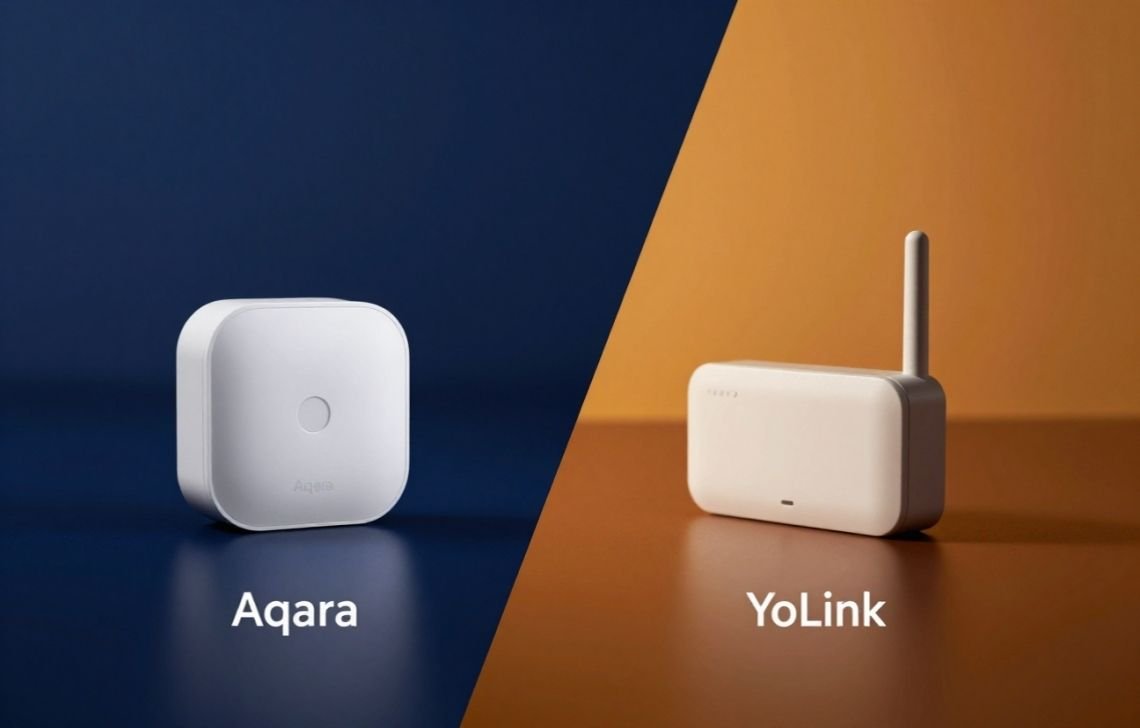
In the realm of modern home automation, the choice of a single sensor can determine whether a system provides seamless security or a headache of missed triggers and frequent battery swaps. As a smart home systems architect, I often see homeowners struggle with the decision between different communication protocols. The current market has converged on a fascinating rivalry: the Aqara vs YoLink Sensor debate. This comparison is not merely about two different brands; it is a fundamental choice between two distinct wireless philosophies—Zigbee and LoRa—each offering unique advantages for specific architectural challenges.
In this technical deep dive, we will compare the Aqara Vibration Sensor and the YoLink Door Sensor. We will explore why one excels in the high-density environment of an apartment building while the other dominates on large, multi-acre properties. We will analyze the signal range (standard indoor vs. 1/4 mile open air), battery life expectations, and the complexities of integration with platforms like Home Assistant. Whether you are looking for a reliable Smart Mailbox Sensor or a way to keep tabs on your toddler, this guide will provide the technical clarity needed to make an informed decision for your home’s infrastructure.
Side-by-Side Comparison: Features and Specifications
From a hardware standpoint, these two devices serve different primary functions but often compete for the same real-world applications. The following table provides a high-level architectural overview of their core specifications.
Feature | Aqara Vibration Sensor | YoLink Door Sensor |
Primary Sensor Type | 3-Axis Accelerometer (Vibration/Tilt/Drop) | Magnetic Contact (Reed Switch) |
Connectivity Protocol | Zigbee | LoRa (923.3 MHz Chirp Spread-Spectrum) |
Signal Range | ~30–50 ft (Indoor Mesh dependent) | Up to 1/4 Mile (1,320 ft) Open Air |
Standard Battery Life | 1–2 Years (Typical) | 5+ Years |
Power Source | Internal Battery (Coin Cell) | 2 AAA Batteries (Included) |
MSRP | Competitive / Budget-friendly | $19.99 (Current Sale: $16.99) |
Hub Requirement | Aqara Hub or Zigbee Coordinator | YoLink Hub or SpeakerHub |
Sensitivity/Trigger | 3 Software-Adjustable Levels | 0.3 – 1 inch (8 – 25 mm) Gap |
Integration Support | Home Assistant, Alexa, IFTTT | Home Assistant, Alexa, IFTTT |
Pros and Cons Summary
- Aqara Vibration Sensor:
- Pros: Ultra-discreet form factor; versatile mounting (no magnet alignment needed); can monitor non-moving objects like laundry machines.
- Cons: Shorter range through solid barriers; requires a specific hub or coordinator to adjust sensitivity; prone to false alerts if not tuned.
- YoLink Door Sensor:
- Pros: Unmatched 1/4 mile range; superior penetration through metal; D2D pairing works without internet; massive battery capacity.
- Cons: Magnetic contact only (cannot detect vibration/tampering); app UI can be unintuitive for mode switching.
Deep Dive: Core Features and Technology
Aqara Vibration Sensor Capabilities
The Aqara Vibration Sensor is a marvel of miniaturization. Unlike traditional contact sensors that rely on two separate pieces, this device uses a high-precision acceleration sensor to detect three distinct types of movement: vibration, tilt, and drop. This makes it an incredibly versatile tool for an architect. It can be placed inside a safe to detect tampering, on a window to detect glass breaking (vibration), or on a washing machine to monitor cycle completion.
A critical feature for technical users is the three sensitivity levels (Low, Medium, and High). Through the Aqara Home App or Home Assistant, users can calibrate the sensor to ignore ambient environmental noise—such as heavy trucks passing a house—while still triggering if the specific surface it is attached to is disturbed.
YoLink Door Sensor Capabilities
The YoLink Door Sensor is a professional-grade contact sensor designed for “set it and forget it” reliability. It operates on the Semtech® LoRa® RF Module YL09 with a 32-Bit RISC processor, allowing for highly efficient data transmission. Its standout software feature is the “Open-Remind” capability. Users can configure the system to alert them if a door is left open for a specific duration, ranging from 20 seconds to 2 hours.
For security-minded architects, the “Continuous Alarm” for reminders is a game-changer. It sends repetitive notifications every 10 to 120 minutes until the door is physically closed. Furthermore, the magnet trigger distance of 0.3 to 1 inch is quite generous, allowing for installation on uneven door frames where other sensors might struggle to maintain a “closed” status.
Range and Performance Analysis: The Physics of LoRa vs. Zigbee
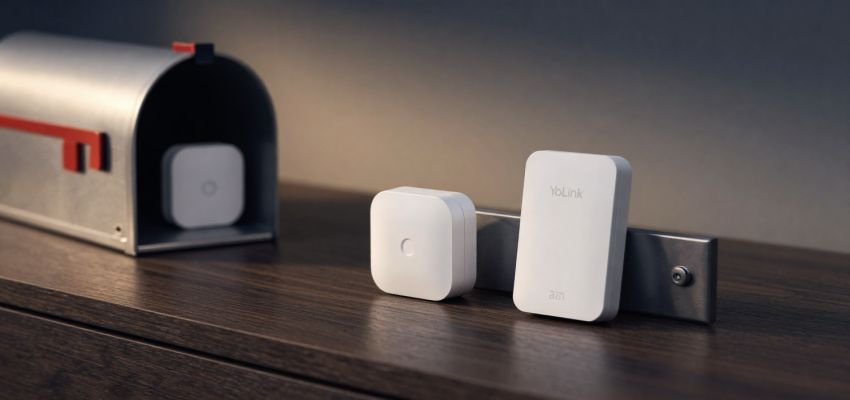
When analyzing the Aqara vs YoLink Sensor range, we must look at the underlying physics. The Aqara Vibration Sensor uses Zigbee, which operates on the 2.4 GHz frequency. This is the same crowded spectrum used by Wi-Fi and Bluetooth. Because 2.4 GHz signals have short wavelengths, they are easily absorbed by water and blocked by dense materials like metal or concrete. Zigbee compensates for this by using a “Mesh” topology, where every mains-powered device (like a smart plug) acts as a repeater to extend the range.
The YoLink Door Sensor, however, utilizes LoRa (Long Range) technology on the 923.3 MHz frequency. This sub-GHz frequency features much longer wavelengths, which provide superior diffraction and penetration capabilities. While Zigbee might struggle to get a signal through a single brick wall, the YoLink signal can travel through multiple walls and even metal enclosures with “flawless” reliability, as reported by users monitoring metal mailboxes.
Furthermore, YoLink uses a “Star” topology, where every device communicates directly with the hub. This, combined with the Chirp Spread-Spectrum modulation, allows for a range of up to 1/4 mile (1,320 feet) in open-air conditions. For a Smart Mailbox Sensor application where the mailbox is at the end of a long driveway, LoRa is the only viable wireless choice without installing expensive outdoor repeaters.
Ease of Use and Installation
The Aqara Experience
Installation is a simple “peel-and-stick” process using the included adhesive. The architectural challenge comes during the configuration. If you are a Home Assistant power user, you likely won’t be using the Aqara Hub. Instead, you’ll be using a third-party coordinator like a ConBee II or Phoscon stick. While this allows for 100% local control (no cloud), adjusting the hardware-specific sensitivity levels requires digging into the ZHA or Zigbee2MQTT configuration menus, which can be a hurdle for novice users.
The YoLink Experience
The hardware setup for the YoLink Door Sensor is equally straightforward: mount the sensor on the frame and the magnet on the moving part of the door. However, there is a noted “human element” pain point regarding the software. User feedback, such as that from Susan Benz, highlights that the YoLink app can be confusing when trying to select “Home” or “Away” modes. Despite the robust hardware, the UI/UX for mode-switching lacks the intuitive simplicity found in some competing ecosystems. For the architect, this means the system is technically superior but may require more “hand-holding” for less tech-savvy family members.
System Requirements for Both:
- A 2.4GHz Wi-Fi or Ethernet connection for the hub.
- A dedicated proprietary hub (Aqara Hub or YoLink Hub/SpeakerHub).
- iOS 9.0+ or Android 4.4+ smartphone.
- Standard 120V outlet for hub power.
Pricing and Long-term Value
In terms of long-term value, the YoLink Door Sensor has a clear advantage due to its power management. By utilizing 2 AAA batteries (which are user-replaceable and included), it boasts a battery life of over 5 years. In contrast, the Aqara Vibration Sensor uses smaller coin-cell batteries (CR2032). While the Aqara units are often cheaper to buy individually, the cost of replacing specialized coin cells and the maintenance time involved every 12–18 months adds up.
YoLink also offers “Starter Kits” (2-pack, 4-pack, and 10-pack options) that include a hub, significantly lowering the entry cost for a full-home deployment. Neither brand requires a monthly subscription for basic mobile alerts, SMS, or email notifications, which is a significant win for homeowners looking to avoid the “subscription trap.”
Integration: The Home Assistant Factor
For the advanced user, Home Assistant is the ultimate proving ground.
- Aqara via Zigbee: When used with a ConBee or Phoscon coordinator, the Aqara Vibration Sensor is a local-only device. There is zero latency and zero reliance on the internet. This is the gold standard for privacy and reliability.
- YoLink via Cloud: The YoLink Door Sensor typically integrates with Home Assistant through a cloud-to-cloud API. While YoLink’s servers are highly reliable, this does introduce a dependency on your internet connection. However, YoLink offers a unique “YoLink Control D2D” (Device-to-Device) feature. This allows the sensor to be paired directly to a YoLink siren or light switch, ensuring the automation works even if the “WiFi is down, Internet is out, and Power is off.”
Customer Support and Reliability
YoLink provides “Lifelong Customer Support” and a 2-year warranty, which is generous for the smart home industry. Their technical support is often praised for helping users through complex app configurations.
Aqara relies more heavily on community-driven support and its “AqaraBot” automated assistant. For example, when users in the Aqara forums ask how to prevent false triggers in apartment stairwells, the AqaraBot provides specific, step-by-step instructions for sensitivity adjustments. While less personal than a phone call, the Aqara documentation for Home Assistant users is extensive due to the massive community of Zigbee enthusiasts.
Ideal Use Cases: Technical Design Case Studies
Scenario A: The Metal Smart Mailbox Sensor
- Architect’s Choice: YoLink Door Sensor.
- Reasoning: User Jean-Louis Van Mollekot notes that even inside a metal mailbox, the transmission to the hub is “flawless.” The 923.3 MHz signal handles the Faraday cage effect of the metal box far better than the 2.4 GHz Zigbee signal of the Aqara.
Scenario B: The Smart Fridge Monitor
- Architect’s Choice: YoLink Door Sensor.
- Reasoning: User Edward Friedman suggests using a contact sensor for refrigerators where the built-in alarm is too high-pitched to hear. The “Open-Remind” feature can trigger an Alexa announcement or a lower-frequency alert if the door stays open for more than 60 seconds, preventing food spoilage.
Scenario C: Laundry Room Automation
- Architect’s Choice: Aqara Vibration Sensor.
- Reasoning: Since a washing machine doesn’t “open” to indicate it’s done, you need to detect the cessation of movement. By attaching the Aqara sensor and setting it to “Medium” sensitivity, it can trigger a “Laundry Done” light scene once the vibration stops.
Scenario D: Security and Child Care
- Architect’s Choice: YoLink Door Sensor.
- Reasoning: For monitoring a toddler or an elderly relative, the reliability of the D2D pairing is paramount. Knowing a siren will sound even if the router crashes provides a level of architectural redundancy that is hard to beat.
Final Verdict: Aqara vs YoLink Sensor
The definitive winner depends on the scope of your project.
Choose the YoLink Door Sensor if: You prioritize absolute range, extreme battery life (5+ years), and need to penetrate metal or large distances. It is the ultimate choice for perimeter security, detached structures, and “set it and forget it” installations.
Choose the Aqara Vibration Sensor if: You need a highly discreet sensor for internal monitoring, or if you need to detect movement on objects that don’t have a traditional swing-open door. It is the superior choice for local-only Home Assistant enthusiasts who live in smaller, high-density environments.
For the average homeowner building a comprehensive security net, the YoLink Door Sensor holds the technical edge due to its LoRa-based reliability and the innovative D2D pairing capability.
FAQs
How long does the battery last on a smart sensor?
Maintenance cycles are a key architectural consideration. The YoLink Door Sensor uses 2 AAA batteries and is rated for 5+ years. The Aqara Vibration Sensor uses a CR2032 coin cell and typically lasts 1 to 2 years depending on the “chatter” of the device and the sensitivity settings.
Can I use Aqara vs YoLink Sensor with Home Assistant?
Yes. Both systems are fully compatible with Home Assistant. YoLink uses a hub-based cloud integration, while Aqara can be used locally via a Zigbee coordinator (ZHA/Zigbee2MQTT) or through an Aqara Hub.
Do these sensors work on metal doors?
The YoLink Door Sensor is specifically designed to handle metal interference, though the range may be slightly reduced from the maximum 1/4 mile. Zigbee sensors like the Aqara often struggle if the metal surface is between the sensor and the nearest mesh repeater.
How do I change the sensitivity on an Aqara Vibration Sensor?
According to the AqaraBot technical guide, follow these five steps:
- Open the Aqara Home App.
- Select the Aqara Vibration Sensor from your list of devices.
- Tap More Settings (the three dots).
- Navigate to Sensitivity adjustment.
Select Low, Medium, or High. (Note: If using Home Assistant without an Aqara hub, you must adjust this within the Zigbee integration’s “Cluster” or “Configuration” attributes).