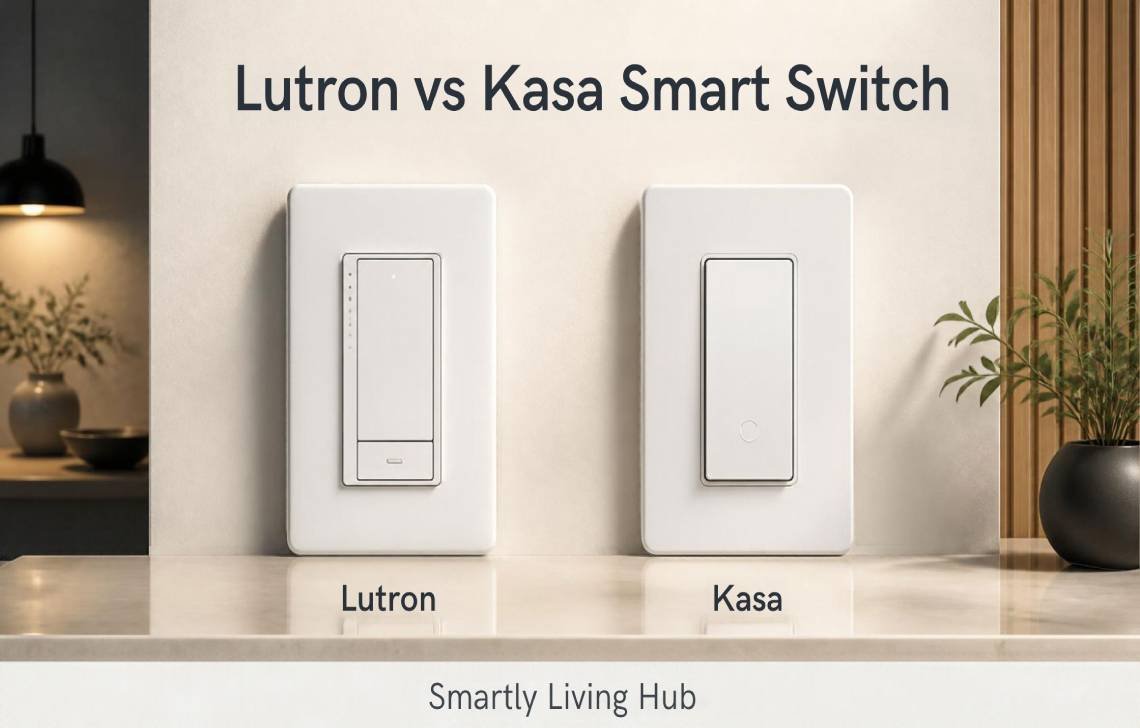
Choosing between Lutron and Kasa can be confusing because both brands offer smart switches, dimmers, app control, scheduling, voice commands, and smart-home integrations. But they take different approaches to connected lighting.
Lutron vs Kasa Smart Switch comes down largely to how you want your smart lighting system to communicate, how much you want to spend, whether you need a hub, and how important dedicated lighting reliability is to you.
In this comparison, we’ll look at Lutron Caséta vs Kasa Smart Switch across features, performance, pricing, installation, ease of use, smart-home compatibility, and customer support. We’ll also cover which option makes more sense for different types of homes.
Quick answer: Lutron Caséta is built around Lutron’s dedicated Clear Connect wireless technology and can operate locally without relying on Wi-Fi for switch-to-device communication. Kasa switches connect directly to 2.4 GHz Wi-Fi and generally don’t require a dedicated hub.
Lutron vs Kasa for Home Security and Smart Lighting
Smart switches are primarily lighting products, but they can contribute to a broader Home Security setup.
For example, both platforms can help automate lights when you’re away. Kasa supports schedules and Away Mode on compatible products, while Lutron Caséta can create schedules and scenes through its Smart Hub. Lutron also offers Smart Away features on compatible Caséta products.
The important difference is how the two systems communicate.
Lutron Caséta uses Lutron’s Clear Connect wireless technology rather than Wi-Fi for communication between Caséta devices. The Smart Hub connects to your router through Ethernet, while the switches and remotes communicate over Lutron’s dedicated wireless system.
Kasa switches, by contrast, connect directly to your home’s 2.4 GHz Wi-Fi network. Current Kasa documentation states that its products support 2.4 GHz Wi-Fi and do not use Zigbee, Z-Wave, or Ethernet for device connectivity.
For a smart-home security routine, either approach can be useful. The better fit depends on whether you prefer a dedicated lighting network or direct Wi-Fi devices.
Best Smart Switch: Lutron or Kasa?
There isn’t one best smart switch for every home. The better choice depends on your existing wiring, smart-home ecosystem, budget, and how many switches you plan to install.
Feature | Lutron Caséta | Kasa Smart Switch |
Wireless technology | Clear Connect RF | 2.4 GHz Wi-Fi |
Dedicated hub | Optional for basic control; required for app, scenes, schedules and integrations | No hub required |
Smartphone control | Yes with Smart Hub | Yes |
Voice control | Alexa, Google Home, Apple Home and others | Alexa, Google Assistant, Apple Home on supported models |
Scheduling | Yes | Yes |
Dimming | Available on compatible models | Available on compatible models |
3-way control | Strong wireless/Pico options | Dedicated 3-way models available |
Matter | Depends on product/system | Available on newer Matter-certified models |
Neutral wire | Model dependent | Model dependent |
Local switch operation | Yes | Yes |
Wi-Fi dependency | No for Caséta device-to-device communication | Yes for network connectivity |
Device capacity | Up to 75 devices per Caséta system/hub | Depends on network and product ecosystem |
Warranty | Generally 1 year for Caséta Wireless; extension may be available | 2 years for current U.S. smart switches |
Main advantage | Dedicated wireless lighting system | Affordable, straightforward Wi-Fi setup |
Main drawback | Hub can add cost | Relies on 2.4 GHz Wi-Fi |
Lutron states that Caséta systems can support up to 75 devices per hub, while TP-Link’s current Kasa documentation confirms 2.4 GHz Wi-Fi connectivity and no dedicated hub requirement for products such as the KS205.
Lutron vs Kasa Smart Switch: Features Compared
Lutron Caséta Features
Lutron Caséta is designed as a broader lighting-control system rather than simply a Wi-Fi switch.
Its ecosystem includes:
- Smart switches
- Smart dimmers
- Pico wireless remotes
- Motion sensors
- Smart plugs
- Smart Hub
- Lighting scenes
- Scheduling
- Voice-assistant integration
One of its biggest differences is Clear Connect RF. Caséta devices communicate using Lutron’s dedicated wireless protocol rather than your home’s Wi-Fi network.
The system also supports wireless three-way control. A Pico remote can provide another control location without running additional wiring, which can be especially useful during renovations or retrofit projects.
Kasa Smart Switch Features
Kasa focuses on direct Wi-Fi connectivity and simple app-based smart control.
Depending on the model, features can include:
- Remote control
- Scheduling
- Dimming
- Voice control
- Smart Actions
- Three-way switching
- Motion detection
- Matter compatibility
- Apple Home, Alexa and Google Assistant integration
For example, the Kasa KS205 is Matter-certified and supports Apple Home, Alexa, Google Assistant and Samsung SmartThings. It connects directly to 2.4 GHz Wi-Fi without requiring a separate hub.
The Kasa KS220M adds motion and ambient-light detection, allowing lights to turn on automatically when movement is detected while avoiding unnecessary activation when sufficient daylight is available.
Lutron vs Kasa: Performance and Reliability
Performance is one of the most important differences in this Lutron vs Kasa Smart Switch comparison.
Lutron Performance
Lutron’s major advantage is its dedicated wireless communication system.
Caséta switches communicate using Clear Connect RF rather than Wi-Fi. Lutron says this allows Caséta devices to continue communicating within the home even if Wi-Fi or the internet is unavailable.
That can be useful if you have:
- Many smart switches
- A large home
- A busy Wi-Fi network
- Several smart-home devices
- A preference for dedicated lighting controls
Lutron also provides range-extension options for larger installations.
Kasa Performance
Kasa takes the simpler Wi-Fi approach. Compatible switches connect directly to your 2.4 GHz wireless network, eliminating the need for a separate lighting hub.
This can work very well in a typical home, but network quality matters. If your Wi-Fi signal is weak around a switch location, connectivity problems can become a consideration.
Kasa also continues to receive firmware updates. For example, TP-Link published a 2026 firmware update for the KS220 that included security, stability, and performance improvements.
Lutron vs Kasa Pricing
Pricing changes frequently and varies by model, retailer, bundle, and region, so it is better to compare the total system cost rather than focusing only on the price of one switch.
Lutron Cost
A Lutron setup can cost more because you may eventually add a Smart Hub, Pico remotes, additional controls, or other Caséta components.
The advantage is that the system is designed to scale. Lutron says Caséta can support up to 75 devices per hub.
If you’re installing several switches throughout a home, calculate:
- Switch/dimmer cost
- Smart Hub cost
- Pico remote cost
- Additional accessories
- Installation cost
Kasa Cost
Kasa’s no-hub approach can reduce the initial system cost.
A compatible Kasa switch can connect directly to your existing 2.4 GHz Wi-Fi network, so there is no dedicated smart-home hub to purchase.
This makes Kasa particularly attractive if you only want to automate a few lights.
However, the cheapest Kasa switch isn’t necessarily the right choice. A dimmer, Matter model, motion-sensing switch, or three-way kit can cost more than a basic model.
Important: Because prices change, check the current price of the exact model before publishing or purchasing.
Lutron vs Kasa: Ease of Installation and Use
Lutron Installation
Lutron emphasizes quick installation, and compatible Caséta switches can be paired with Pico remotes to create additional control points without pulling new wire.
However, electrical wiring varies by model. Some Lutron controls require a neutral connection while others are specifically designed to work without a neutral wire.
Always check the exact model’s wiring requirements before buying.
Kasa Installation
Kasa focuses heavily on guided installation through its app. Certain products provide step-by-step setup instructions, while dedicated three-way kits simplify replacing traditional three-way switches.
Again, wiring requirements vary by model.
If you are unsure about identifying line, load, neutral, or ground wires, use a qualified electrician rather than guessing.
Lutron vs Kasa: Smart Home Compatibility
Both ecosystems can work with major smart-home platforms, but compatibility varies by model.
Lutron Caséta supports integrations including Amazon Alexa, Google Home, Apple Home, Samsung SmartThings and other connected products through the Smart Hub.
Newer Kasa models can offer particularly broad compatibility. The KS205, for example, is Matter-certified and lists Apple Home, Alexa, Google Assistant and Samsung SmartThings among its supported platforms.
If you’re building a Matter-based smart home, check the exact Kasa model rather than assuming every Kasa product supports Matter.
Lutron vs Kasa: Customer Support
Lutron Support
Lutron provides a dedicated Caséta support center, product documentation, installation resources, wiring guidance and technical support. Lutron also advertises 24/7 support resources for its Caséta system.
Caséta Wireless products are generally covered by a one-year limited warranty, with Lutron stating that the warranty can be extended to two years by completing its customer feedback questionnaire.
Kasa Support
TP-Link provides product documentation, troubleshooting guides, firmware downloads, setup videos and technical support for Kasa products.
For U.S. consumer products, TP-Link currently provides 24-hour live chat support, along with phone support.
TP-Link’s current U.S. warranty policy lists smart switches under a two-year warranty for products purchased on or after September 1, 2023.
Support and warranty terms can vary by country, so international buyers should check their local TP-Link or Lutron terms.
Lutron Caséta Pros and Cons
Pros
- Uses dedicated Clear Connect wireless technology
- Does not rely on Wi-Fi for Caséta device-to-device communication
- Strong ecosystem for lighting control
- Pico remotes make additional control points easier to add
- Supports scenes and schedules through the Smart Hub
- Broad smart-home integrations
- Suitable for larger lighting installations
Cons
- Smart Hub adds an additional cost for full smart features
- The ecosystem can become more expensive as you add components
- Product compatibility varies by model
- Some installations have specific wiring requirements
Kasa Smart Switch Pros and Cons
Pros
- No dedicated hub required
- Direct 2.4 GHz Wi-Fi connection
- Generally simple app-based setup
- Remote control and scheduling
- Wide range of switch and dimmer models
- Newer models offer Matter support
- Good choice for smaller smart-home projects
Cons
- Depends on your Wi-Fi network for connectivity
- Kasa models differ significantly in features
- Some switches have specific wiring requirements
- Dimming performance depends on compatible bulbs and the exact dimmer
TP-Link notes that dimming performance can vary between bulb types and brands, so checking bulb compatibility is important before installing a Kasa dimmer.
Who Should Choose Lutron Caséta?
Lutron Caséta may be a better fit if you:
- Want a dedicated smart-lighting wireless network
- Plan to automate many lights
- Want wireless Pico remotes
- Need flexible three-way control
- Want strong lighting-focused ecosystem integration
- Prefer local device communication that does not depend on Wi-Fi
- Are building a more extensive smart-lighting system
Lutron’s Caséta system is specifically positioned as an entry point for both DIY users and professional installers, with support for up to 75 devices.
Who Should Choose Kasa Smart Switch?
Kasa may be a better fit if you:
- Want a simple Wi-Fi smart switch
- Don’t want to buy a dedicated hub
- Already have reliable 2.4 GHz Wi-Fi
- Want to start with one or two smart switches
- Want a lower-complexity setup
- Want Matter compatibility on supported models
- Prefer controlling your devices through the Kasa app
The Kasa ecosystem also includes specialized products such as motion-sensing dimmers and three-way switch kits, giving buyers several ways to build a basic smart-lighting setup.
Lutron vs Kasa Smart Switch: Which Should You Buy?
The answer depends on what you value most.
Choose Lutron Caséta if your priority is a dedicated lighting-control system, reliable device-to-device communication independent of Wi-Fi, flexible wireless control, and the ability to expand your lighting system over time.
Choose Kasa if your priority is straightforward Wi-Fi connectivity, no dedicated hub, simple app control, and a potentially lower-complexity entry into smart lighting.
For a small apartment or a few smart switches, Kasa’s direct Wi-Fi approach can be convenient. For a larger lighting project where dedicated wireless communication and expandable lighting controls matter more, Caséta offers a different system architecture.
Neither product family is automatically right for every home. Before purchasing, check the exact model’s wiring requirements, dimmer compatibility, smart-home integrations, and current price.
Final Verdict
The Lutron vs Kasa Smart Switch decision ultimately comes down to system design rather than simply choosing the brand with more features.
Lutron Caséta is built around a dedicated wireless lighting ecosystem with Clear Connect technology, optional Smart Hub functionality, Pico remotes, scenes, schedules, and extensive integrations.
Kasa takes a simpler Wi-Fi-first approach. Its switches connect directly to 2.4 GHz Wi-Fi, eliminating the need for a dedicated hub, while newer models can add Matter compatibility and broader smart-home integration.
If you want a simple smart switch without a dedicated hub, Kasa is worth considering. If you’re planning a more extensive lighting system and value Lutron’s dedicated wireless architecture and Pico ecosystem, Caséta is worth considering.
Before you buy, compare the exact models—not just the brands—and verify wiring, bulb compatibility, smart-home support, and current pricing.
FAQs
Is Lutron better than Kasa?
Lutron Caséta and Kasa are designed around different approaches. Lutron uses Clear Connect wireless technology, while Kasa switches connect directly to 2.4 GHz Wi-Fi. The better fit depends on your installation, network, budget, and smart-home requirements.
Does Lutron Caséta need Wi-Fi?
Caséta switches do not use Wi-Fi to communicate with other Caséta devices. A Smart Hub connects to your router and enables app control, scheduling, scenes, and integrations.
Does Kasa require a hub?
No. Compatible Kasa switches connect directly to a 2.4 GHz Wi-Fi network, so a dedicated hub isn’t required.
Does Lutron Caséta require a neutral wire?
It depends on the exact Caséta model. Lutron offers both neutral and non-neutral devices, so check the wiring requirements for the specific switch or dimmer you plan to install.
Can Kasa work with Alexa and Google Home?
Yes. TP-Link states that Kasa products integrate with Amazon Alexa and Google Home. Specific compatibility can vary by product.
Does Kasa support Matter?
Some newer Kasa products support Matter. For example, the KS205 is Matter-certified and supports Apple Home, Alexa, Google Assistant and Samsung SmartThings.
Is Lutron Caséta good for a three-way switch?
Caséta is particularly flexible for multi-location control because compatible switches and dimmers can be paired with Pico remotes without requiring additional control wiring.
Which is easier to install, Lutron or Kasa?
Both brands offer products designed for relatively straightforward installation, but the exact difficulty depends on the switch model and your home’s wiring. Kasa provides guided installation through its app on compatible products, while Lutron offers wireless Pico-based options for adding control locations without new wiring.