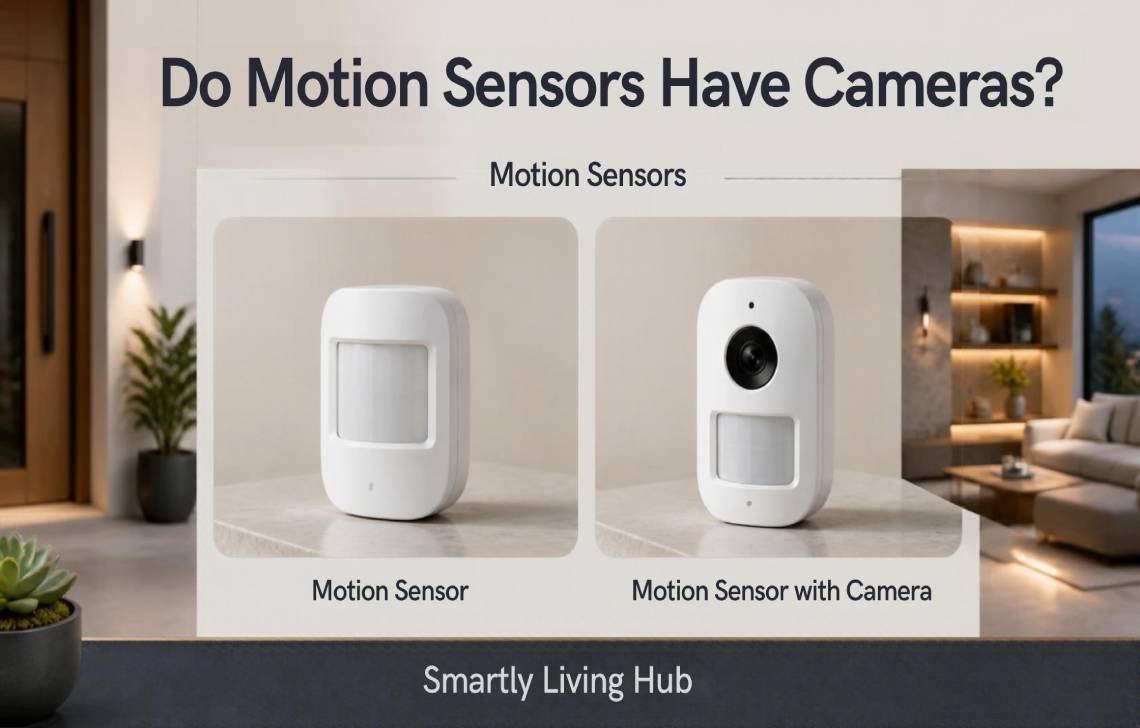
No, standalone motion sensors do not have cameras. These devices utilize heat-sensing or wave-reflection technology to “see” movement, but they lack the lenses, image chips, and storage required to capture video or photos.
While the majority of sensors are strictly data-collection units, some hybrid security devices integrate a motion sensor and a camera within the same housing. In these units, the sensor acts as a low-power “trigger” that tells a separate camera component when to start filming.
How Do Motion Sensors Actually Work?
As a journalist who has dismantled dozens of these devices in the lab, I can tell you that a motion sensor’s “vision” is purely mathematical, not visual. They rely on an embedded computer system to interpret environmental data through several distinct methods:
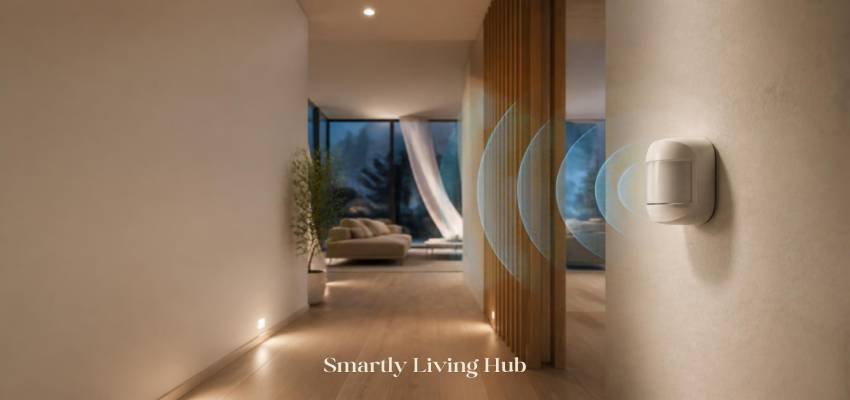
- Passive Infrared (PIR): The most common type. These monitor changes in infrared radiation (heat). When a warm body moves across its field of detection, the sensor notes the temperature shift.
- Microwave Sensors: These emit microwave pulses and measure the reflections off moving objects. Journalist Note: Because microwave energy can penetrate thin glass or light partitions, these sensors can sometimes detect movement in an adjacent room—a common cause of “ghost” alarms.
- Ultrasonic Sensors: These use high-frequency sound waves, similar to a bat’s echolocation, to detect disturbances.
- Dual-Technology Sensors: These require both PIR (heat) and microwave/ultrasonic (movement) to trigger simultaneously. This is the gold standard for reducing false alarms caused by pets or HVAC vents.
Can a Standalone Motion Sensor Record Video?
The short answer is a physical “no.” A standalone sensor is a simple switch. Its only job is to close an electrical circuit to trigger a siren, turn on a light, or send a Z-Wave ping to a hub. It lacks the three “pillars” of video recording: a glass lens, an image sensor (CCD/CMOS), and a data pipeline (SD card or Cloud).
If a sensor is incapable of recording, why do we see “motion sensor cameras” for sale? The answer lies in hybrid engineering. If you are starting your home security journey, I recommend checking out our Smart Home Security Buying Guide to understand which hardware fits your privacy needs.
Understanding Hybrid Devices: Motion Sensors + Cameras
In hybrid units, the camera and the sensor are roommates, not a single organ. In my field testing, I’ve observed that the camera is actually “blind” most of the time to save power.
The Trigger Mechanism:
- The sensor component stays on 24/7, sipping tiny amounts of power while monitoring for heat or waves.
- Once it identifies movement, it sends a signal through a mini-cable on the electrical circuit board.
- This signal “wakes up” the camera component, which then begins recording through its lens and image chip.
This setup is highly efficient. By keeping the camera in a “sleep” state until the sensor triggers it, manufacturers can offer wireless cameras that last months—not days—on a single charge.
6 Ways to Tell If Your Motion Sensor Has a Camera
If you are moving into a new rental or office and feel a sense of “privacy anxiety,” use this checklist to verify the hardware on your wall.
- Physical Lens Inspection: Look for a small, dark “black hole” or a circular glass surface. A standard motion sensor uses a milky, faceted Fresnel plastic dome to focus infrared heat. If it’s clear glass, it’s likely a camera.
- The Pro Flashlight Test: In a dark room, shine a bright light at the device. You are looking for a blue or purple reflection. This is the characteristic “twinkle” of the anti-reflective coating found on camera lenses.
- Status LED vs. Camera Lens: Don’t panic if you see a blinking red or green light. These are status LEDs used by sensors to confirm battery life or motion detection. A camera lens is a physical object, while an LED is just a glowing bulb.
- Listen for “The Click”: Many cameras use an IR cut filter for night vision. If you turn off the lights and hear a soft mechanical “click,” that is the camera shifting its lens for infrared recording. Standalone sensors are electronically silent.
- Identify the Model Number: Look for a label on the back or side of the unit. Search that model number online. Manufacturer spec sheets are legally required to disclose filming capabilities.
- The “Unbolt” Check: If you’re still suspicious, unbolt the device from its bracket. Check for unmarked ports, Micro-SD slots, or unusual wiring (like Ethernet cables) that wouldn’t belong on a simple battery-powered sensor.
Comparison: Motion Sensor vs. Motion-Detecting Camera
Feature | Standalone Motion Sensor | Motion-Detecting Camera |
Primary Purpose | Automated triggers (lights/alarms) | Visual evidence and surveillance |
Visual Evidence | None | High-definition video or photos |
Privacy Risk | Minimal (detects presence only) | High (captures faces and actions) |
Power Needs | Extremely Low (years of battery) | High (requires charging or mains) |
Connectivity | Z-Wave, RF frequencies, or Hubs | High-bandwidth 2.4/5GHz Wi-Fi |
Cost | Budget-friendly | Higher (often includes cloud fees) |
Brand Breakdown: Ring and ADT
I often get asked about the industry giants. Here is how they distinguish their tech:
- Ring: The Ring Alarm Motion Sensor is a PIR-based device that uses Z-Wave technology. It has no lens and cannot record. However, the Ring Stick Up Cam or Spotlight Cam are hybrids where the sensor and lens are housed in one shell. You can confirm which you have by checking the Ring app; if there is no “Live View” option, there is no camera.
- ADT: Standard ADT Pulse and Command detectors are PIR only. In ADT’s hybrid cameras, the lens and sensor sit side-by-side (not merged) on the face of the unit. This visual “double-barrel” look is a dead giveaway that you have a recording-capable device.
Decision Guide: Which One Should You Choose?
Choose a Standalone Motion Sensor if:
- You want to automate hallway lights or sirens without being “watched.”
- You need a device that can run for 3+ years on a single coin-cell battery.
- You are installing security in a privacy-sensitive area like a bedroom.
Choose a Motion-Detecting Camera if:
- You need visual proof for insurance or police reports.
- You want to remotely check in on pets or deliveries.
- You are okay with the higher price point and potential subscription fees.
Privacy and Safety: Are You Being Watched?
While the technology itself is neutral, where it is placed matters. Legal Caveat: In most jurisdictions, there is a “reasonable expectation of privacy” in areas like bathrooms, bedrooms, and changing areas. Installing a hybrid camera in these locations without consent can lead to significant legal trouble.
If you are a tenant, I always recommend a “Privacy-First” approach. Use sensors for internal room automation and keep cameras focused on entry points (doors and windows). For more tips, read our guide on Privacy-First Security Setups.
Final Verdict: Do Motion Sensors Have Cameras?
The bottom line is that motion sensors and cameras are distinct technologies that often work together but serve different purposes.
Key Takeaway Box:
- Standalone Sensors: Monitor heat/waves; 100% privacy-safe.
- Hybrid Units: Sensor triggers a separate camera; look for a glass lens.
- Pro Tip: When in doubt, search the Model Number on the manufacturer’s website.
Whether you’re securing a warehouse or a studio apartment, understanding this hardware allows you to build a security layer that provides peace of mind without sacrificing your personal privacy.
FAQs
Can motion sensors see through walls?
Standard PIR sensors cannot. However, microwave sensors can detect movement through thin glass, drywall, or light wooden partitions by measuring reflections.
Do PIR sensors have hidden lenses?
No. They use a plastic Fresnel dome. While it might look like a lens to the untrained eye, it cannot focus light into an image.
Can a motion sensor trigger my existing security camera?
Yes. In a smart home ecosystem, you can set a “routine” where a standalone sensor in the driveway tells a separate camera on the porch to start recording.
Why does my motion sensor have a red light if there is no camera?
That is a status indicator. It blinks to let you know the battery is working or that it has successfully detected motion. It does not mean you are being filmed.
Are “hidden” motion sensor cameras legal?
Legality depends on your local laws and consent. However, manufacturers are legally required to disclose camera hardware in their product manuals and labels.