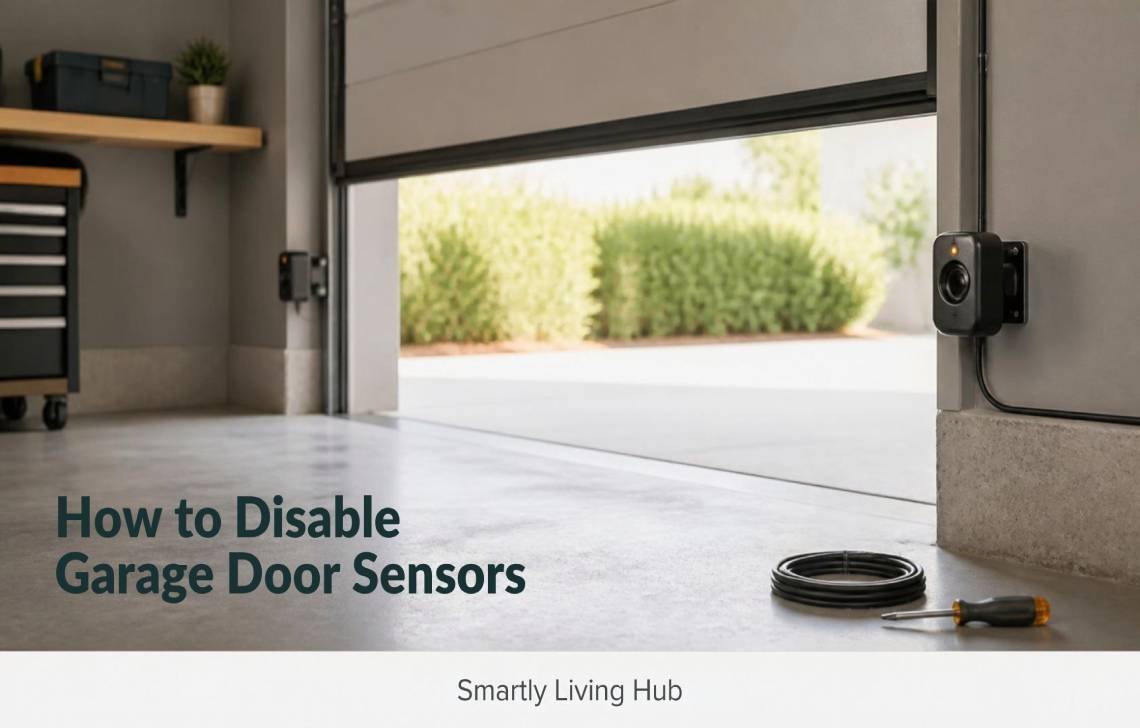
If your garage door refuses to close because the safety sensors are not working, you may be wondering how to disable garage door sensors or bypass them temporarily.
You generally should not permanently disable or disconnect the safety sensors. They are part of the garage door opener’s entrapment-protection system. Instead, first check for a blocked or misaligned sensor, dirty lenses, loose wiring, sunlight interference, or a failed sensor. On some openers, a constant-pressure wall-control method can temporarily close the door while you remain in control, but the exact procedure depends on the opener model.
This guide explains the difference between disabling and temporarily bypassing the sensors, how the system works, what to check when the door will not close, and how to restore normal operation.
How to Disable Garage Door Sensors?
You can physically disconnect or interfere with garage door sensors, but doing so is not a good repair solution because it defeats an important safety feature. Modern residential garage door openers use entrapment-protection systems designed to prevent the door from closing when an obstruction is detected.
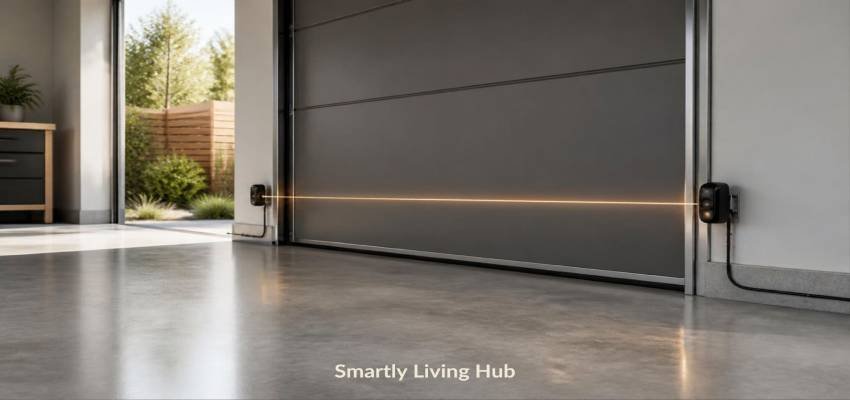
Garage door safety sensors are typically mounted near the bottom of the door opening. One sensor sends an invisible beam toward the sensor on the opposite side. If that beam is interrupted while the door is closing, the opener is designed to stop or reverse the door.
The U.S. Consumer Product Safety Commission has long required residential automatic garage-door openers to include entrapment protection, with photoelectric sensors being one type of external protection recognized in the applicable safety requirements.
So there is an important difference:
Approach | What it means | Recommended? |
Troubleshoot the sensors | Find and correct the underlying problem | Yes |
Temporarily use supported constant-pressure control | Keep direct control while closing on compatible openers | Only as a temporary measure |
Operate the door manually | Disconnect the opener drive and move the door manually | Only when appropriate and safe |
Disconnect the sensors | Removes the normal sensor connection | No |
Modify or bypass sensor wiring | Attempts to defeat the safety circuit | No |
The safest solution is to fix the sensor problem rather than permanently defeat the system.
How Garage Door Safety Sensors Work
Garage door sensors are also called photo eyes, safety beams, photoelectric sensors, or safety sensors.
A typical system has two small units positioned on opposite sides of the garage-door opening. One sends an infrared beam and the other receives it. The opener monitors that beam during operation.
When something interrupts the beam, such as a person, pet, vehicle, storage box, or another object, the opener can prevent normal closing or reverse the door.
Garage door sensors are only one part of a smart garage-door setup. If you are considering adding smart control to your garage door, see our guide to the best smart garage door controllers and the features to consider before choosing one.
This is why a garage door can appear to work normally when opening but refuse to close using the remote.
The problem is not necessarily that the motor has failed. The opener may simply be detecting a problem with its safety system.
Why the opener prevents normal closing
The safety sensor is intended to detect an obstruction before the closing door reaches it.
If the opener cannot verify that the sensor system is functioning correctly, many systems will prevent normal automatic closing. Genie, for example, states that its Safe-T-Beam system must be installed and working properly for the opener to operate normally.
That is a safety feature—not necessarily a sign that the opener itself is broken.
Why Your Garage Door May Not Close
Before searching for a way to disable garage door sensors, work through the following checks.
Something is blocking the beam
Look across the entire path between the two sensors.
Even a small object, box, tool, piece of debris, or stored item can interrupt the beam.
Move anything that could be crossing the sensor path and try the door again.
Also check for objects positioned close to the sensors. Genie recommends keeping items away from the photo-eye pathway because blockages can interfere with operation.
The sensors are misaligned
The two sensors need to face one another correctly.
A sensor can become misaligned if:
- The mounting bracket was bumped
- Someone moved an object against it
- A fastener loosened
- The sensor was installed incorrectly
- The mounting surface shifted
Look at the indicator lights on both sensors.
The exact light behavior varies by manufacturer and model, so do not assume that a particular color or blinking pattern means the same thing on every opener.
For example, Genie provides model-specific diagnostic information for its Safe-T-Beam system, including different blink patterns for alignment, obstruction, wiring, and interference problems.
The sensor lenses are dirty
Dust, dirt, cobwebs, or other buildup can interfere with the sensor beam.
Turn off the opener if your manufacturer’s instructions call for it, then gently clean the sensor lenses with a soft, dry cloth.
Genie specifically recommends cleaning the photo-eye lenses and checking that the brackets and sensors are securely mounted.
Avoid scratching or covering the lenses.
The wiring is loose or damaged
Inspect the visible wiring leading to the sensors.
Look for:
- Loose connections
- Frayed wires
- Cut or damaged insulation
- Wires pulled away from the sensor
- Obvious damage near the opener or mounting area
Do not assume that a sensor itself has failed simply because the door will not close.
Genie’s troubleshooting documentation lists wiring problems among the possible causes of sensor faults.
Sunlight is interfering
Direct sunlight can interfere with some photo-eye systems.
This can be confusing because the sensors may appear to work at one time of day but fail when the sun reaches a particular angle.
Genie specifically documents sunlight interference as a possible cause of Safe-T-Beam problems and provides troubleshooting guidance for it.
If the problem consistently appears during a particular part of the day, note the timing. That information can help distinguish environmental interference from a permanently defective sensor.
A sensor may have failed
If the sensors are clean, correctly positioned, unobstructed, properly connected, and still report a fault, one of the sensors or another part of the opener system may be defective.
At that point, check the opener’s model-specific troubleshooting instructions before buying replacement parts.
For example, Genie says its branded photo-eye sensors are the ones it guarantees to work with its compatible openers, so compatibility should be checked before purchasing a replacement sensor from another manufacturer.
How to Temporarily Close a Garage Door When Sensors Fail
Some garage door openers allow temporary closing through a constant-pressure wall control. This means you continuously hold the wall-mounted control button while the door closes instead of using the normal remote-control closing operation.
Genie’s troubleshooting documentation, for example, says that when an operational problem prevents the door from closing, the opener can be forced to close by pressing and holding the wall console button until the door is completely closed.
The CPSC also describes constant-contact control as an entrapment-protection method in which a person must continuously hold a wall-mounted button for the door to close. If the button is released, the door reverses.
How this differs from disabling the sensors
Holding a supported wall control is not the same thing as rewiring or permanently disabling the photo eyes.
The key difference is that you maintain continuous control over the closing operation.
If your opener’s manual specifically supports this procedure, the general process is:
- Make sure the garage-door opening and the area beneath the door are completely clear.
- Stand where you can see the entire door and its path.
- Use the wall-mounted control rather than relying on a remote.
- Hold the control continuously while the door closes.
- Release the control immediately if anything unexpected happens.
- Do not leave the door’s safety system bypassed after the temporary situation is resolved.
Do not assume this procedure works on every garage-door opener. Follow the instructions for your specific model.
If the opener does not support this operation, do not improvise by changing the wiring or creating an electrical bypass.
How to Operate the Garage Door Manually
If the opener cannot safely close the door because of a sensor problem, another option may be manual operation.
Most automatic garage-door openers have an emergency-release mechanism that separates the door from the opener’s drive system. Once properly released, the door can potentially be moved manually.
However, this is not a good DIY test if the door is mechanically damaged or unusually heavy.
A garage door contains substantial mechanical forces. Problems involving springs, cables, tracks, rollers, or the door’s balance can make manual operation dangerous.
Stop and get professional help if:
- The door is extremely heavy
- A spring is broken
- A cable is loose or broken
- The door is crooked or off its tracks
- The door falls or moves unexpectedly
- You hear unusual mechanical noises
- The door will not stay in position
- You are unsure how the emergency release works
Do not attempt to repair or adjust a garage-door spring simply because the sensors are malfunctioning.
Should You Permanently Disable Garage Door Sensors?
No. Permanently disabling the sensors is not an appropriate solution for a normal residential garage door opener.
The sensors exist to help protect people, pets, vehicles, and other objects from a closing door.
Genie explicitly says its safety sensors are a required safety feature for applicable residential opener systems and advises users not to bypass them.
The CPSC’s garage-door safety requirements also focus on entrapment protection for automatic residential garage-door openers.
This is why instructions that involve cutting sensor wires, shorting connections, or modifying the opener so that it falsely detects a working sensor are poor substitutes for repairing the problem.
They may make the door operate, but they also remove the very protection that caused the opener to stop.
What about a temporary bypass?
A temporary, manufacturer-supported operating method is different from permanently defeating the safety circuit.
If your opener allows constant-pressure closing from the wall control, that can provide a controlled way to close the door while you troubleshoot the problem.
But it should not become the permanent solution.
The goal should be:
Temporary operation → diagnose the fault → repair the sensor system → restore normal operation.
How to Fix Garage Door Sensors Instead
If your garage door sensors are preventing normal operation, work through this sequence. For a more detailed troubleshooting guide, see our guide on how to fix garage door sensors.
Step 1: Check the opening
Make sure nothing is crossing the invisible beam between the sensors.
Remove boxes, tools, toys, vehicles, or other objects that could be interfering.
Step 2: Clean both sensor lenses
Use a soft, dry cloth to remove dust and debris.
Do not use the sensor as a storage point or cover it with tape, paint, or another material.
Step 3: Check sensor alignment
Make sure both sensors are securely attached and facing each other.
If a bracket is loose, secure it according to the manufacturer’s instructions.
Genie recommends checking the sensor mounting position and alignment as part of routine maintenance.
Step 4: Inspect visible wiring
Look for obvious damage, loose connections, or frayed wires.
If the wiring appears damaged and you are not comfortable troubleshooting low-voltage control wiring, use the manufacturer’s service guidance or contact a qualified technician.
Step 5: Check the indicator lights
Look at both sensor indicators and compare their behavior with your opener’s manual.
Do not rely on a generic internet guide for a specific LED code unless it matches your exact manufacturer and model.
For example, Genie documents separate diagnostic patterns for alignment, obstruction, wiring, sensor defects, and interference.
Step 6: Consider sunlight
If the problem occurs only during certain hours, sunlight may be interfering with the photo-eye system.
Check the manufacturer’s recommended solution rather than permanently bypassing the sensors.
Step 7: Check for a defective sensor
If all basic checks pass but the opener still reports a sensor problem, the sensor, wiring, or opener circuitry may require further diagnosis.
Use the model-specific documentation before ordering replacement parts.
When to Replace the Sensors
Sensor replacement may make sense when the existing units are damaged or continue to malfunction after basic troubleshooting.
Signs that replacement or professional diagnosis may be necessary include:
- Physical damage to a sensor
- Persistent fault indicators
- Damaged sensor wiring
- A sensor that cannot remain correctly aligned
- Repeated failures after cleaning and alignment
- Manufacturer diagnostics indicating a sensor fault
Before buying a replacement, check the exact opener model and manufacturer.
Compatibility is not universal. Genie, for example, says it can only guarantee Genie-branded photocell sensors with Genie openers.
A replacement kit should therefore be selected based on documented compatibility rather than appearance alone.
When to Call a Garage Door Professional
A sensor problem is often simple to troubleshoot, but not every garage-door problem should be handled as a DIY project.
Contact a qualified garage-door professional if:
- The door is off its tracks
- A spring is broken
- A lift cable is damaged or detached
- The door is severely unbalanced
- The door drops unexpectedly
- The opener makes unusual mechanical noises
- You suspect a serious electrical fault
- The sensors remain faulty after basic troubleshooting
- You cannot safely determine what is wrong
The sensor itself is only one part of a larger garage-door system. A door that is mechanically unsafe should not be operated repeatedly just because you found a way to bypass the sensor fault.
How to Restore and Test the Safety System
Once the underlying problem has been corrected, return the opener to normal sensor operation.
Do not simply confirm that the door closes.
You also need to verify that the safety system responds correctly.
Genie recommends testing its safety photo-eye system by starting with the door open, initiating a close cycle, and interrupting the sensor path to confirm that the door reverses. The manufacturer also recommends testing the mechanical reverse system.
Follow your opener manufacturer’s exact testing instructions because procedures can vary.
The basic principle is simple:
The door should respond to an interruption of the safety beam as intended.
If it does not, stop using the automatic closing function until the problem is corrected.
The CPSC has also advised consumers to test garage-door opener reversing features according to the manufacturer’s recommendations.
Final Verdict
If you’re searching for how to disable garage door sensors because your door will not close, the better solution is usually to find out why the sensors are preventing operation.
Start with the simple checks: clear the sensor path, clean the lenses, verify alignment, inspect visible wiring, check the indicator lights, and consider whether sunlight is causing interference.
If your particular opener supports a constant-pressure wall-control method, that may provide a temporary way to close the door while you address the problem. But permanently disconnecting or bypassing the sensors removes an important safety function and should not be treated as a repair.
The practical goal is not to defeat the sensors. It is to restore a working safety system and return the garage door to normal operation.
FAQs
Can I disable garage door sensors permanently?
You should not permanently disable them on a residential automatic garage-door opener. The sensors are part of the opener’s entrapment-protection system. Fix the underlying sensor problem instead of defeating the safety circuit.
How can I temporarily close my garage door if the sensors aren't working?
Some garage-door openers support constant-pressure closing through the wall-mounted control. For example, Genie documents pressing and holding its wall console button until the door closes. Your exact opener may work differently, so check its manual first.
Why won’t my garage door close with the remote?
A sensor problem is one common reason. Check for an obstruction, sensor misalignment, dirty lenses, loose or damaged wiring, sunlight interference, or a sensor fault. The exact diagnostic behavior depends on the opener model.
Why are my garage door sensor lights blinking?
A blinking sensor light can indicate a problem, but the meaning depends on the manufacturer and model. Possible causes include misalignment, an obstruction, wiring problems, interference, or a defective sensor. Genie, for example, provides model-specific diagnostic blink patterns for its Safe-T-Beam system.
Can sunlight interfere with garage door sensors?
Yes, sunlight can interfere with some photo-eye systems. If the sensors fail only during certain parts of the day, check the manufacturer’s troubleshooting instructions for sunlight interference before assuming the sensors need to be replaced. Genie specifically documents sunlight interference as a possible Safe-T-Beam issue.
Should I disconnect the sensor wires?
No. Disconnecting or modifying the sensor wiring can defeat the opener’s safety system. If the wiring appears damaged, follow the manufacturer’s repair instructions or have it professionally diagnosed.